Client Testimonial Video: A Step-by-Step Production Guide
Parth Jasrapuria
Founder
A marketing lead has a happy customer, a free afternoon, and a camera booked for Friday. Then legal asks who approved the revenue claim, sales wants a different story, and the customer asks if the video will run in paid ads forever. Suddenly, a simple client testimonial video feels like a small wedding with paperwork. It doesn't need to be that dramatic. With the right customer, a clear claims sheet, and a short plan, the job stays simple and useful.
What a Client Testimonial Video Must Prove
A client testimonial video is really two documents in one. One is a film people watch. The other is a claims file that legal, sales, and the customer all have to approve. Treat it only as a film and the second part bites later: the shoot goes well, then the customer's legal team pauses release for two weeks over a single revenue figure. Nobody lied. Nobody checked early enough.
A strong testimonial proves three things: the starting problem, what changed, and one number the customer can stand behind. Buyers routinely watch customer videos before deciding who to trust, so that number does the heavy lifting. DesignStack's guide to client testimonials makes the same point: specific customer proof carries more weight than polished claims.
The catch is that customers often cannot share revenue, vendor names, or confidential detail. That is workable. A percentage improvement, a time saving, or a before-and-after measured in days usually clears legal review where an absolute figure stalls it. Agree on which of those formats is safe before the camera rolls, and the whole job gets easier.
The Six Phases at a Glance
Phase | Typical time | Output | Owner
Planning and customer selection | 1-2 weeks | Shortlist and proof points | Marketing lead
Pre-interview and approvals | 3-5 days | Outcome brief and signed release | Marketing lead and customer
Filming day | 2-4 hours | Raw interview and b-roll | Producer
Editing | 3-5 days | Primary cut and short versions | Editor
Review and approvals | 2-3 days | Signed-off final cut | Customer and legal team
Publishing and tracking | Ongoing | Live assets and results report | Marketing team
The skipped phase is usually approvals, because filming feels like the actual work. It isn't. The camera day is often the shortest part.
Practical rule: If the story can't fit into 60 to 90 seconds, the scope is too big. Pick one result and let the rest go.
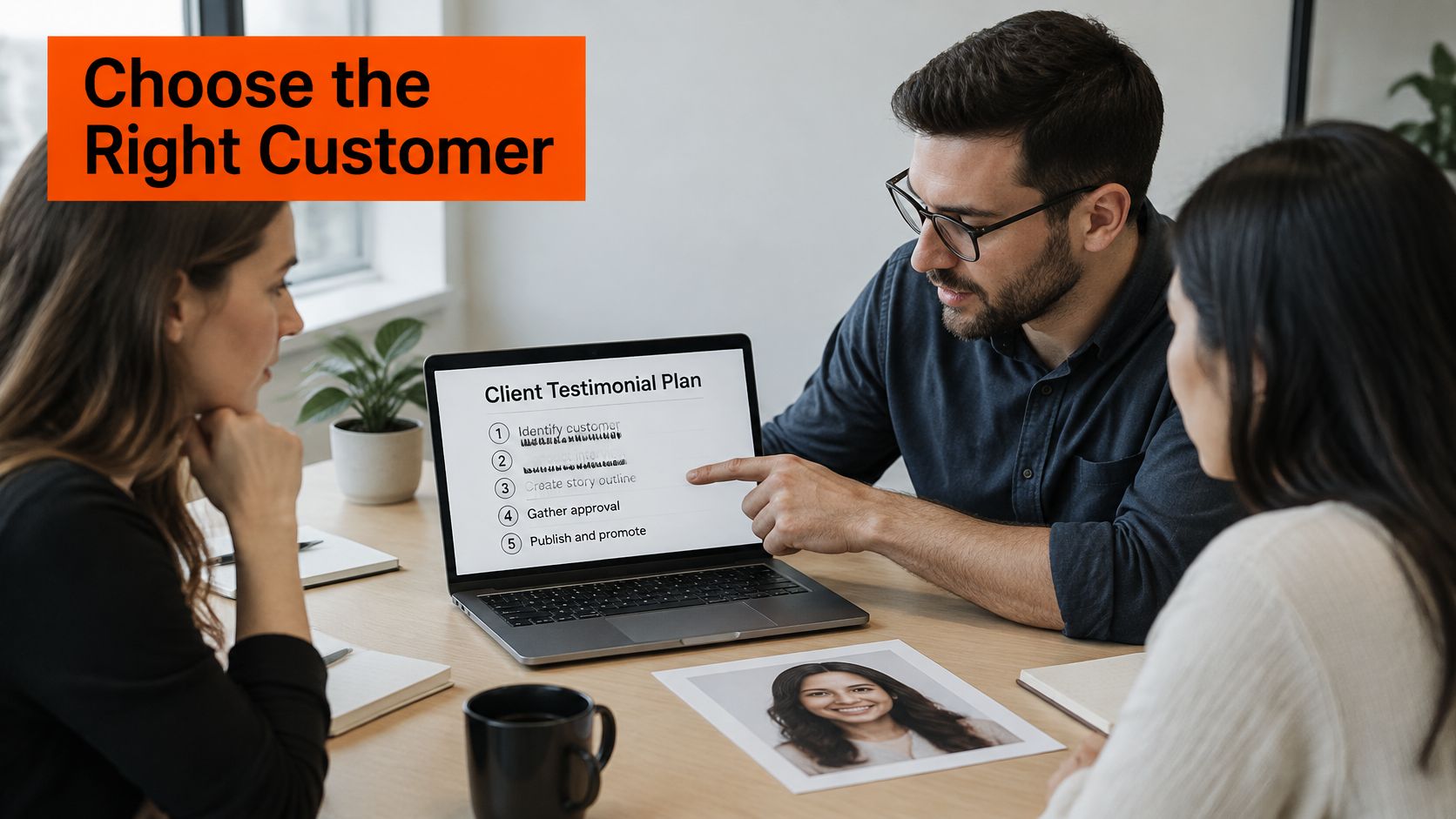
Pick the Customer and Agree on What You Can Claim
A great story from the wrong buyer persuades nobody. A logistics director won't move a hospital IT buyer, even if both smile beautifully. Start with fit, then worry about charisma.
Match the buyer: Pick a customer whose role, company size, and industry match the people the business sells to.
Check the history: Choose someone who has used the product for at least 90 days and can describe life before and after.
Test comfort: Confirm they're willing to speak on camera without reading a script like a weather report.
Third-party proof matters because buyers reportedly consult user reviews (47%) and product demos (48%) more often than vendor websites (45%), based on figures shared in a LinkedIn video post. That's why a constrained, honest interview can beat a glossy ad.
Write the Claims Sheet Before Filming
Decide if the customer will be named, described by role, such as "Head of Operations at a 300-person software firm," or kept logo-free. Then list the exact sentences allowed, the metric, its timeframe, what didn't change, and where the video can run. Add a withdrawal and renewal clause so the customer knows how to pull it later.
Say a security customer can say, "We cut audit prep from six weeks to two," but can't name vendors, revenue, or system details. That's still strong proof. Legal teams love the word "approximately." Viewers love a clear range. The claims sheet keeps both groups calm.
Share that sheet with the customer and the editor before filming. Nobody should invent a number on the day because the room went quiet.
Interview Customers So the Story Sounds Real
Scripted praise fails because viewers can hear it. The customer starts saying words like "synergy," and everyone knows marketing has been in the room with a red pen. A relaxed 25-minute conversation works better. The goal is a B2B customer story with a real before, a real choice, and a result that can be checked.
That shape matches what viewers value. In Wyzowl's survey of 238 respondents, 42% consider testimonial videos effective because they feature a real person, 47% value them because they show how a product or service works, and 39% value the demonstrated impact on the customer's life.
Seven Steps for a Natural Interview
Warm up for five minutes. Talk about the customer's job, not the product. A warehouse lead might relax after describing a normal Monday.
Ask about the starting problem. What was broken, how often did it happen, and who felt the pain? If a finance manager says, "We had a mess," ask, "What did the mess look like on a Tuesday?"
Ask about the decision. Which options did they compare, and what tipped the choice? A short pause here often gives the best answer, so don't rush to fill it.
Cover implementation. Get the actual timeline, including the bumpy parts. "Week one was rough" makes week six believable.
Ask for the result. Push for the number, timeframe, and how it was measured. "Faster" is a mood. "Reports dropped from two days to two hours" is evidence.
Ask what didn't change. This odd little question builds trust. If onboarding still takes effort, say so.
Ask for one peer sentence. "What would you tell someone in your role?" gives the editor a clean closing line.
Ask open questions and request full sentences, so answers cut cleanly. Never feed the customer polished lines. A guide on how to write a script for video helps with structure, but the customer's own words should stay in charge.
After filming, turn the transcript into the script. Lift the strongest answers under problem, decision, implementation, result, and limits. Check every number against CRM, analytics, or customer-success records before sending anything for approval. Generic lines like "easy to use" or "great support" rarely calm a careful buyer. Specific proof does.
How to Shoot and Edit the Video Step by Step
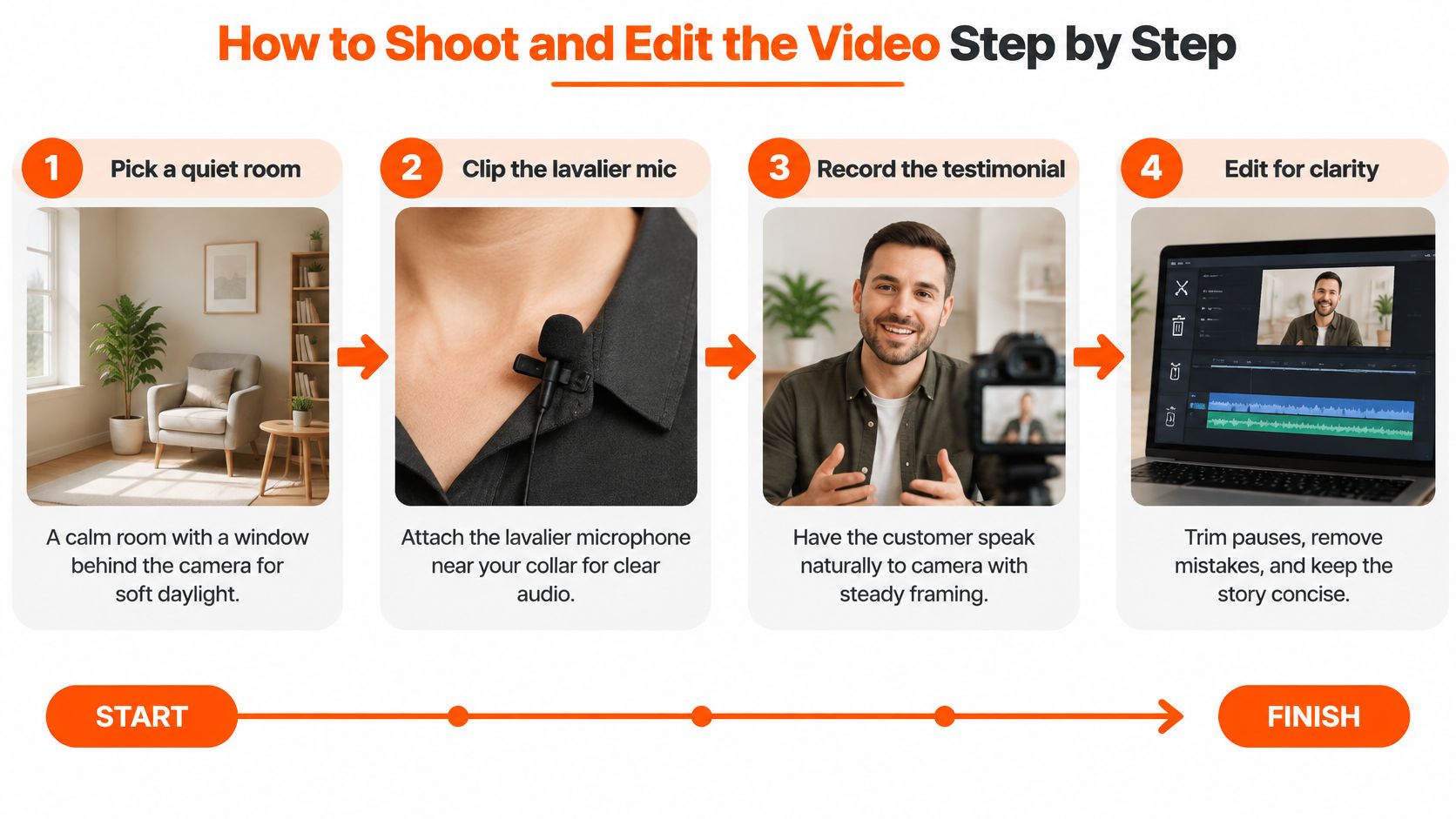
Good filming is mostly quiet rooms, clear sound, and not making the customer feel like they're confessing to a crime. Fancy gear helps less than people expect. Bad audio hurts more than people expect.
Filming Day Sequence
Pick a quiet room. Put a window behind the camera for soft daylight. Turn off air vents if they hum like a small airport.
Clip a lavalier mic to the collar. Place it about 20 cm below the chin, then record 10 seconds of room tone for the edit.
Frame at eye level. Keep the customer's eyes near the top third line. Nobody trusts a floating head in the bottom corner.
Check audio before the first question. Record a test, listen on headphones, then start. This tiny step saves heroic levels of regret.
Film five minutes of b-roll. Capture the product screen, team at work, and office details. Show faces only when permission is confirmed.
Add a second angle if budget allows. A wider shot helps cover cuts when an answer needs trimming.
Editing Sequence
Cut from the transcript first. Remove filler words, choose the strongest sentence as the opener, and keep the main software case study video cut under 90 seconds.
Add a lower third and captions. Show name, role, and company where approved. Burn in captions because many viewers watch muted on trains, sofas, and supposedly important calls.
Add low music and export versions. Music should sit under the voice, never wrestle it. Export a 16:9 master plus a 9:16 excerpt.
A customer filmed in a home office with a bookshelf behind them often looks more believable than a studio backdrop covered in logos. Real rooms signal real work.
Cut Versions for Every Channel and Website
One recording shouldn't produce one lonely file. Planned well, it becomes a small asset library. ContentBuck's model shows the idea clearly, since one 45-minute recording session with a client, technology partner, or industry expert produces a YouTube video, 3-5 LinkedIn clips, a blog post, and an audio episode.
Placement matters as much as length. BrightLocal's 2024 consumer survey found that 50% of consumers trust online reviews as much as personal recommendations from friends and family, up 4 percentage points from the prior year. So the main cut belongs beside a demo form or case study text, not buried in an "About Us" corner like a forgotten trophy.
Channel | Target length | Format | Where it lives
Website case study page | 60-90 seconds | 16:9 with captions | Beside case study text and demo form
Sales follow-up email | 30-60 seconds | Unlisted link with custom thumbnail | Sent after the discovery call
LinkedIn organic post | 30-60 seconds | 1:1 or 4:5 with captions | Company page and founder feed
Paid social ad | 15-30 seconds | 1:1 or 4:5 with captions | LinkedIn and Meta ads
YouTube long-form | 3-5 minutes | 16:9 with chapters | Channel playlist
Vertical excerpts | 15-45 seconds | 9:16 with captions | Shorts, Reels and TikTok
Say a cybersecurity vendor places a 75-second customer video next to its demo form. The speaker names the company size, security problem, evaluation process, and result. That context stops the clip from sounding like a paid actor praising "great service."
Add a transcript under the website video and plan cuts before filming, not after. A practical guide to distributing video content helps map each version to its job.
The number in the 15-second ad must match the number in the 90-second cut and on the written page. Trust leaks fast when versions disagree.
Measure Results and Place the Video Where Buyers Look
A testimonial rarely closes a deal on its own. B2B buyers watch clips, read pages, talk to colleagues, forget, return, and book a call three weeks later. Measurement has to respect that messy path instead of crediting one video with everything.
Reporting shared by MarketingProfs on B2B video marketing found that 88% of surveyed buyers had watched videos to learn about a company or its products in the previous three months, and 93% said video helps build brand trust. Treat that as background signal rather than proof that one testimonial closed a deal.
Match Each Question to a Metric
Attention: view-through rate and watch time on each cut.
Trust: branded search volume, return visits, and repeat video views.
Consideration: demo request rate on the page hosting the video.
Revenue: win rate and assisted pipeline for accounts that watched.
When a speaker cannot share revenue figures or client names on camera, your own page data has to carry the proof. Track what the video does on your site, because the customer often cannot say it for you.
Test the same landing page two ways: video above the fold versus no video. Hold the offer, spend, page copy, and attribution window constant, and log in the CRM which cut each contact watched so calls can reference viewing history instead of guesses. E-commerce teams run the same discipline through conversion tracking for subscription stores, and the lesson carries over: a consistent log beats a pretty dashboard. Placement decides what gets seen, and this guide to videos on a landing page helps pick the right spot.
The pattern can be quiet but real. As James from Meridian Advisory put it, "Three months in, I am getting calls from business owners who watched three or four of our videos before reaching out. These are some of the best qualified leads we have ever had."
Pick one metric, one page, and one 60-day window. Start within two weeks, judge qualified conversions or pipeline, and report confidence intervals when volume allows. Otherwise the wrap-up meeting turns into archaeology.
Common Questions About Client Testimonial Videos
Do Teams Need Professional Filming
No, not for most testimonials. A quiet room, a lavalier mic, daylight, and a steady phone or camera can work well. A studio makes more sense for a homepage hero spot, where every stray shadow gets judged like a crime scene photo. Sound still matters most, because viewers forgive plain visuals faster than echo.
What Happens If a Customer Wants the Video Removed
Check the withdrawal and renewal clause on the claims sheet first. Then remove the video from the website, YouTube, LinkedIn, sales decks, and paid ads within the agreed window. Don't leave a short ad version running because someone forgot it existed. Keeping a simple channel list from day one prevents that awkward scavenger hunt.
How Should the Page Be Marked Up
Use Article markup for the page and VideoObject markup for the embedded video when the page follows the video guidelines. Add FAQ markup only for questions and answers visible on the page. Schema is tidy housekeeping, not magic dust.
Don't use QAPage markup for a multi-question page. Google's QAPage structured data guidance says QAPage is intended for a page focused on one question and its answers, and specifically says not to use it for ordinary FAQ pages containing multiple questions. Markup must describe what readers see, with no hidden keyword blocks or fake reviews.
Keep claims consistent across video, transcript, captions, and page copy. If the customer says implementation took six weeks, the page shouldn't upgrade that to one week. Numerical optimism is still optimism, and buyers notice.
ContentBuck helps B2B teams plan, produce, edit, and repurpose testimonial videos into website, sales, and paid media assets without losing track of claims or approvals. For teams that want a clear proof story, clean cuts for every channel, and practical measurement from the start, visit ContentBuck to start the conversation.
Parth Jasrapuria
Founder at ContentBuck
Building video systems for B2B businesses. Obsessed with YouTube growth, creative strategy, and organic SEO.