How to Rank YouTube Videos on Google
Parth Jasrapuria
Founder
YouTube isn't the whole game. In a major Moz study analyzing 2.1 million Google searches and 766,000 videos, YouTube accounted for 94.2% of all video carousel results on page one of Google (Vidico's summary of the study). That's the part often missed, because the lesson isn't “publish anywhere and hope.” The lesson is that Google's video results have long been dominated by YouTube, so how to rank YouTube videos on Google starts with understanding a two-surface system, not a single algorithm with a nicer thumbnail.
Many teams still treat YouTube SEO like it's one job. It isn't. YouTube search, YouTube recommendations, and Google's universal search all weigh different signals, and they don't hand out the same prize for the same behavior. A video can win attention inside YouTube, then disappear on Google because it lacks query-aligned metadata, a crawlable page, or schema that tells Google what it's looking at.
That's why the problem is not “get more views.” The problem is query-to-session engineering. A buyer searches on Google, sees a video result, clicks, watches, stays engaged, then either continues deeper on-site or returns satisfied. If the asset doesn't support that full chain, it might be a good YouTube video and a bad Google result at the same time. Comedy version, with a straight face, is that the title can be perfect for humans and still be invisible to the crawler.
Why Most YouTube Videos Never Show Up on Google
A YouTube upload can perform well on the platform and still stay buried on Google. The reason is usually not the thumbnail or the tags. It is the way the video is packaged for search, crawlability, and session flow.
YouTube results have long dominated Google's video carousels, but that dominance does not help a B2B team if the video cannot be interpreted as the right answer for the query. The gap is usually practical. Google needs a clear page, a clear topic, and enough supporting context to trust the result. A strong watch-time profile alone does not supply that.
Three ranking layers, three different jobs
YouTube's internal systems care about clicks, watch time, and whether viewers keep watching. Google cares about whether the video matches the query, whether the page can be crawled, whether the markup is valid, and whether the result belongs on the page at all. Those are different gates, which is why a video can do well inside YouTube and still be missing from Google's video carousel.
Practical rule: a video with no transcript, no embedding page, and no VideoObject schema often behaves like a lonely island, not a search asset.
A viral explainer can still fail on Google if it lives only as a watch-page upload. It may earn comments and shares, but Google has little context beyond the player itself if there is no supporting page that answers the query in text and markup.
The useful framing is simple. YouTube evaluates the performance of the video. Google evaluates the relevance of the whole package. B2B teams should stop asking whether a video “did well” and start asking whether it can be discovered, interpreted, and folded into a search journey.
A page also has to be reachable before any of that matters. Googlebot reachability tips from Orchory are a useful companion here, because crawl access comes before video visibility. If Google cannot get to the page, it cannot make sense of the video on it.
YouTube Ranking vs Google Video Ranking What Each Algorithm Actually Weighs
Signal | YouTube In-App Ranking | Google Video Universal Ranking
Keyword match | Important, but secondary to behavior | Critical for query alignment
Title and thumbnail | Major driver of clicks | Major driver of clickability in SERP
Watch behavior | Core ranking input | Useful proxy for satisfaction
Transcript and captions | Helps understanding and search | Helps Google interpret topic
Structured data | Not required for in-app ranking | Needed for rich video presentation
Hosting page | Optional for YouTube | Often the difference between visible and invisible
Distribution outside YouTube | Helpful, but indirect | Helpful because it creates authority and embeds
The strategic takeaway is straightforward. Google video visibility is rarely a YouTube-only problem. It is usually a page, markup, and intent problem wrapped around a video.
Picking the Right Buyer-Intent Query to Target
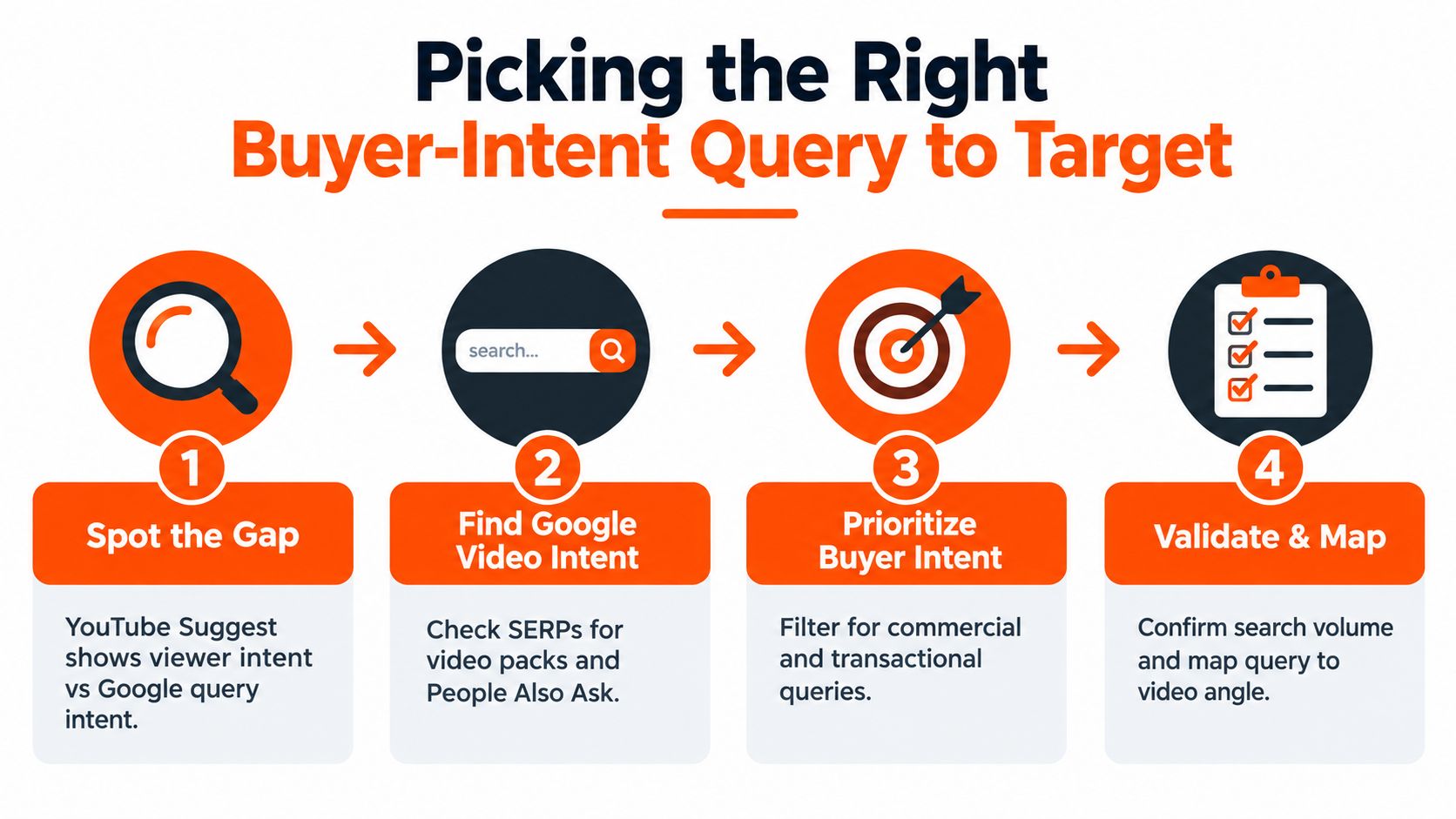
Keyword research for Google-visible video is not the same thing as chasing YouTube autocomplete. YouTube Suggest tells a creator what viewers tend to type inside YouTube. Google keyword research tells a B2B marketer what a buyer is trying to solve when they're already in evaluation mode. That difference matters, because a query that gets clicks on YouTube can still be too broad, too informational, or too fluffy for Google's video carousel.
Use a real buyer query, not a vanity topic
A query like “how to choose a B2B attribution platform” is the kind of phrase that deserves a video because it signals comparison, evaluation, and product selection. A flashy topic like “marketing attribution explained” may sound nice, but it often attracts curiosity rather than buying intent. One of those is a teaching asset, the other is a lead asset with a stronger chance of becoming a search result.
The fast validation loop is boring in the best way. Check the Google results page for a video carousel, inspect the People Also Ask questions, and scan YouTube autosuggest for variations. If Google already shows video results and the existing video answer is thin, the query becomes a candidate.
A useful filter is to ask whether the sales team hears the question on calls. If prospects keep asking the same thing, the query probably belongs on the list. If support, customer success, and sales all hear it, the topic has enough real-world gravity to justify production.
Match modifiers to funnel stage
Different query modifiers pull the video into different parts of the buyer journey.
“How to” signals education and process.
“Vs” signals comparison.
“Best” usually means shortlist mode.
“For enterprise” narrows to a stronger commercial fit.
“Comparison” often means the buyer is already sorting vendors, which is where good B2B video content earns its keep.
One practical trick is to map the chosen query to internal linking potential before filming. If the video can support a product page, a blog post, a case study, and a demo page, it's doing double duty. That's far more useful than a random evergreen topic that looks nice in a content calendar and does nothing for pipeline.
The script opening should mirror the query almost verbatim. If the target is “how to choose a B2B attribution platform,” the video shouldn't start with a brand story, a montage, or a cute anecdote about caffeine and chaos. It should answer the query immediately, then break the rest of the video into chapters that match the decision process.
Crafting Metadata That Wins Both Clicks and Relevance
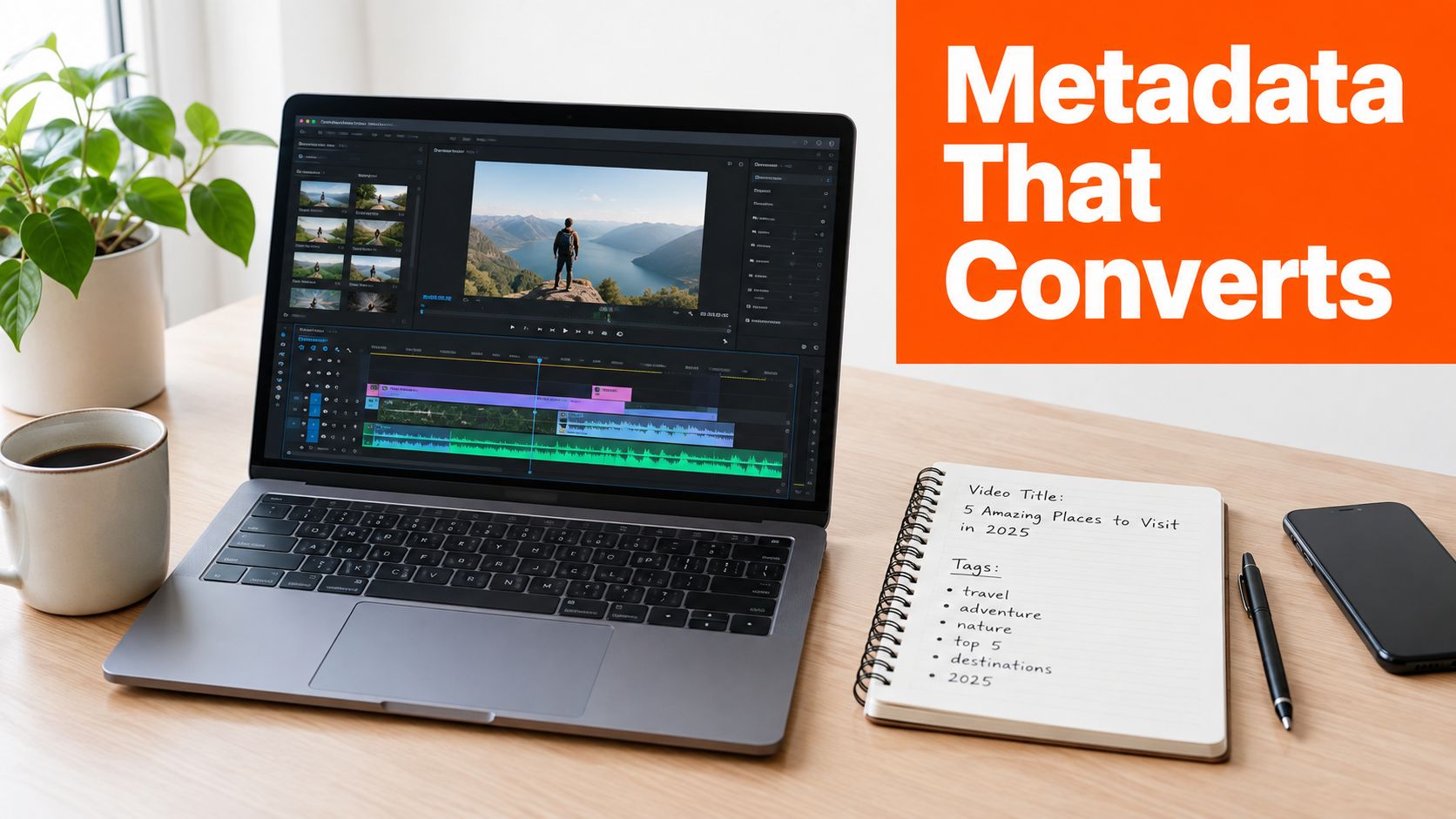
Metadata works best when it behaves like one system. The title, description, tags, transcript, chapters, and thumbnail all need to agree on the same query, the same promise, and the same audience. If they don't, the video sends mixed signals, which is a funny way to say it's asking Google to guess.
Build the title for search first, curiosity second
The title needs the primary keyword early, because the first words carry the most weight in both human scanning and SERP display. A useful structure is primary keyword, outcome, and specificity. For a buyer-intent query, that usually means a title that names the problem and the year or context in plain language.
Bad title, for example. “Marketing Attribution Tips for Growth Teams”.
Stronger version. “B2B Attribution Platform Guide, How to Choose the Right One”.
The second one is better because it starts with the buying category and answers the user's intent more directly. It's also less likely to feel like a motivational poster pretending to be useful.
Treat the description like a search result asset
The first two lines of the description should read like a pull quote from the page. Put the keyword there, then describe the outcome in plain language. After that, add a short scene-setter, then timestamps, then a resource block with internal links and the embed URL.
Uploaded SRT captions usually do more for relevance and accessibility than auto-captions because they're cleaner, more accurate, and easier for humans to skim. Chapters help Google understand where the video changes topic, which is why a messy monologue is harder to rank than a structured explanation. If the user can find the answer fast, Google can usually infer that the asset is a better fit.
A thumbnail should promise one idea, not a scrapbook of ten ideas.
Use thumbnails to support click intent, not confuse it
Three thumbnail tests matter more than most B2B teams admit. First, face versus product, because a human expression can carry emotion faster than a dashboard screenshot. Second, contrast on mobile, because tiny screens punish pale design choices and overly busy layouts. Third, a single-word text overlay, because long text turns into visual soup.
A thumbnail should not try to summarize the whole video. It should create a clear click reason. The video can do the explaining later, assuming it doesn't start with a minute of “Hi, welcome back” and a logo that behaves like a loading screen from 2014.
For a deeper workflow on the production side, the internal guide on SEO video optimisation is a useful companion because the same metadata logic applies across Google and YouTube.
Hosting, Embedding, and Video Schema for Dual Surfaces
The smartest setup treats the same asset as two ranking opportunities. One opportunity lives on YouTube, the other lives on the owned page that hosts or embeds the video. When both surfaces are built correctly, the video can compete for the carousel and a blue-link result at the same time.
Make the page the search asset, not just the player
On the YouTube side, keep the upload clean. Use the right category, language, captions file, and a straightforward watch URL without junk parameters. Then on the site side, place the video inside a page that gives Google enough context to understand the topic and the audience.
A page with an embedded YouTube video can qualify for richer presentation when it includes valid VideoObject markup, especially a crawlable thumbnail URL (video thumbnail guidance). Google's own video documentation also notes that structured data, video sitemaps, or Open Graph can supply metadata for video discovery (Google video documentation).
Apply each signal where it belongs
Signal | YouTube Surface | On-Page Surface
Category and language | Set directly in upload | Mirror in page copy
Captions | Upload file in YouTube Studio | Add transcript block below player
Thumbnail | Custom thumbnail | Use same or aligned poster image
Schema | Not needed for in-app discovery | Add VideoObject markup
Sitemap | YouTube handles itself | Add video sitemap entry for the page
Embed URL | Native watch page exists | Use canonical embed on the correct page
A transcript block beneath the player helps crawlers and skim-readers at the same time. A poster image and lazy loading keep the page from feeling like it was designed by a toaster. If the same video exists on older pages, a 301 redirect to the canonical hosting page keeps the signal from scattering into three slightly awkward versions of the truth.
The internal guide on videos on blog is useful here because a blog post, product page, or dedicated landing page all create different ranking opportunities. The right choice depends on which page already has the strongest topical fit and link equity.
A practical rule works well here. If the page exists to rank, the video should support that page. If the page exists only to house a player, it is probably underbuilt.
Retention and Satisfaction Signals That Keep You Ranked
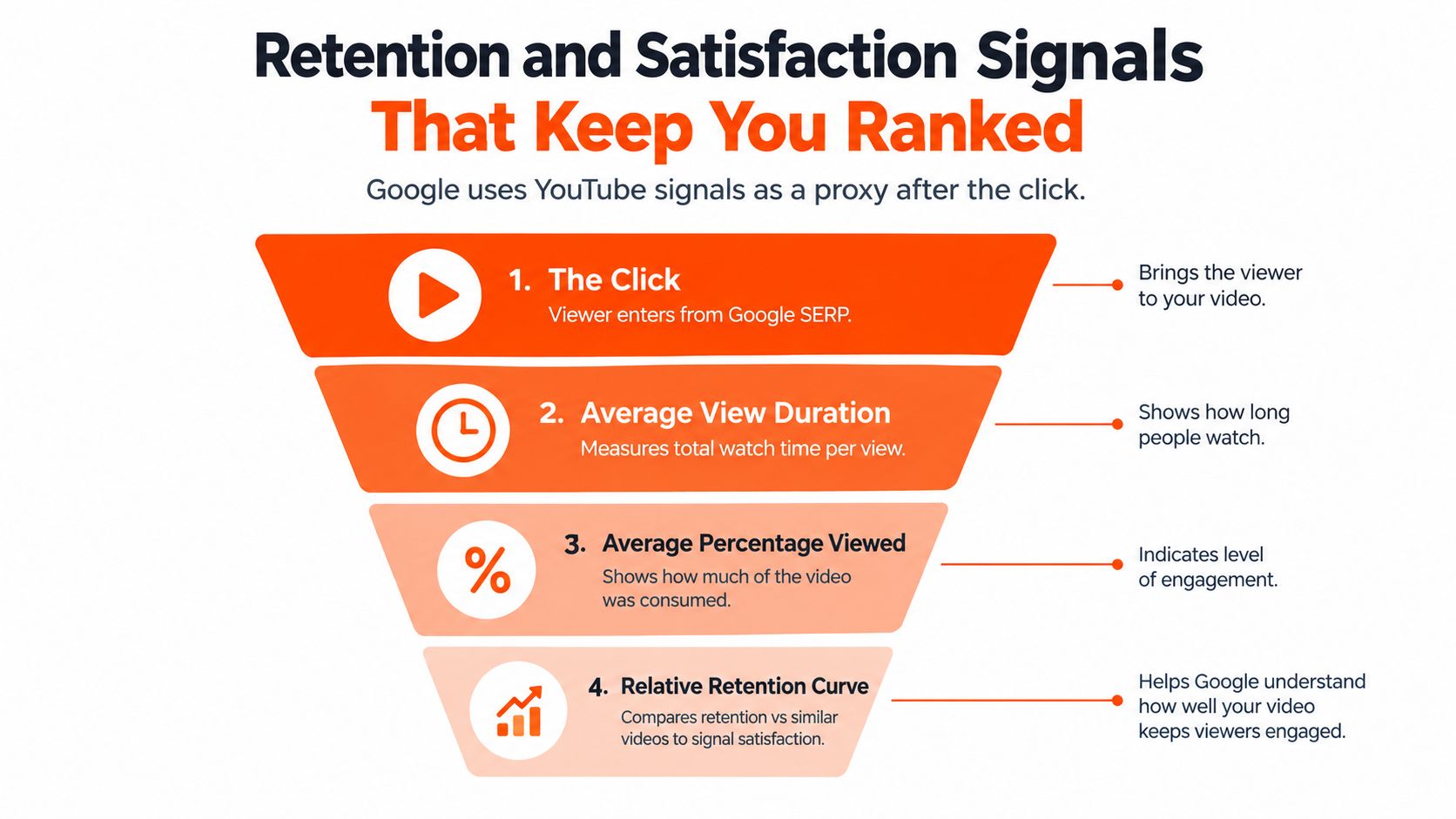
Google does not watch the video the way a human does, but it does lean on YouTube's behavior signals as a proxy. That means the question after the click matters almost as much as the click itself. If viewers bounce instantly, the whole package looks less useful.
Watch the first 30 seconds like a hawk
The first 30 seconds decide whether the video survives the click. That's where the promise has to show up, fast. Skip the long intro slate, cut the “welcome to the channel” filler, and give the viewer the payoff before the explanation drifts in.
Average view duration and average percentage viewed matter because they show whether the audience stayed with the content long enough to feel satisfied. Relative retention is even more useful because it shows whether the video is holding up against similar content. A B2B team does not need theatrical suspense here, it needs less dead air and more useful movement.
Build the video for self-selection
Chapters help viewers jump to the part they care about, which is not a flaw. It is a feature. The audience should be able to self-select, because people who choose their own path often stay longer and come back more often.
Pattern interrupts: add a visual change or example every 60 to 90 seconds.
Pinned comment: include timestamps, links, and a next-step CTA.
Cold open: state the result first, then explain how to get there.
Chapter structure: use natural topic shifts so viewers can move through the video without friction.
For embedded plays, GA4 engagement time and scroll depth past the player can act as a useful mirror. If people scroll past the player without engaging, the page probably overpromised the video or buried it too low. If midpoint retention drops hard, the thumbnail likely sold one story and the opening delivered another, which is a very expensive kind of mismatch with a very cheap fix.
When that happens, the order of operations is usually thumbnail first, then cold open, then title. Not the other way around. The title might be sincere, but sincerity doesn't fix a mismatch if the packaging promised a different meal.
Off-Page Signals Through Embeds, Backlinks, and Distribution
A video that stalls in Google often needs more than a stronger title. It needs external proof that the asset matters. Embeds, links, and distribution are the off-page layer that can push a stuck video into wider visibility.
Put the video where ranking pages already live
Partner embeds on pages that already rank are often more valuable than a pile of weak mentions. A link from a complementary SaaS blog, an integration partner, or a niche directory can outperform ten links from pages that nobody visits. That's not glamorous, but it is practical.
The outreach angle should use the exact buyer-intent query as anchor text when it fits naturally. Brand-only anchors are fine for brand building, but they're weak if the goal is topic relevance. A resource page that says “How to choose a B2B attribution platform” tells Google a lot more than “watch our latest video.”
Repurpose once, distribute many times
A single video can become several assets without turning into content confetti.
60-second clip: place on LinkedIn to capture attention fast.
Quote card: use on X for a sharp takeaway.
Audio cut: use for podcast guesting or short teaser placement.
Transcript post: publish on Medium or LinkedIn Pulse with a link back to the canonical YouTube URL.
That repurposing logic is also why how backlinks affect AI search from QuickSEO is worth reading in parallel. It's a useful reminder that distribution, authority, and discoverability are increasingly tangled together across search surfaces.
The internal guide on distributing video content fits naturally here because the distribution layer is where a good video stops being isolated. Treat every embed like a mini landing page, title the surrounding page around the query, and don't bury the asset under a vague heading like “Our Latest Video,” unless the goal is to make the page sound like a company memo from 2009.
One more practical point. Track referring domains, branded search lift, and embeds count on a monthly rhythm. If the off-page layer is doing nothing, the page may still rank later through on-page strength, but the process becomes much slower and much less predictable.
A 30-60-90 Day Roadmap and Measurement Checklist
The fastest way to improve video rankings is to stop treating the work as a content experiment and start treating it like an operating system. The first month is for alignment, the second for distribution, and the third for refinement. That sequence keeps teams from promoting a weak asset before the basics are fixed.
Days 1 to 30 foundation
Build the keyword-intent map, then ship 2 to 3 high-intent videos with optimized metadata, transcripts, chapters, and VideoObject schema on a matched landing page. That number is a practical starting point, not a magic formula. The point is to get enough signal to compare formats, openings, and pages without waiting half a year.
Google Search Console should be checked with the video filter enabled, while YouTube Studio should be watched for impressions-to-view CTR and average view duration. If the query is right but the title is weak, the early data will look flat. If the title is strong but the opening is weak, retention will tell on the video fast.
Days 31 to 60 amplify
Launch embed distribution to partners, podcasts, and resource pages. Fix retention drops found in YouTube Analytics, then test thumbnail variations. That sequencing matters because a stronger thumbnail on a weak opening just gets more people to leave faster, which is a very efficient way to waste attention.
This is also where how to win AI Overviews from MyMentions can be useful, because the same content clarity and authority logic helps across newer answer surfaces. The point isn't to chase every acronym. It's to make the asset understandable enough that search systems can reuse it.
Days 61 to 90 optimize
Scale the winners, retire the underperformers, and pursue backlink placements from authoritative industry publications. At this stage, the winners usually reveal themselves through the combination of search visibility, watch performance, and downstream engagement. A video that attracts clicks but doesn't hold attention should be cut loose without regret.
One-page checklist
Query selected: the target keyword matches buyer intent.
Schema validated: VideoObject fields are present and crawlable.
Transcript indexed: the caption file and transcript are in place.
Embeds live: partner and owned placements are active.
Search Console verified: the page is tracked in the right property.
CTR reviewed: title and thumbnail are pulling clicks.
Retention reviewed: the cold open and midpoint hold attention.
Assisted conversions tracked: GA4 shows the video's downstream value.
The useful mindset here is simple. If the video ranks but does not convert, the query or offer is wrong. If it converts but does not rank, the packaging or distribution is weak. If it does neither, the team saved itself from scaling the wrong idea.
ContentBuck builds B2B video systems that connect YouTube, search, and distribution into one practical workflow. If a team wants help turning videos into search assets with the right metadata, schema, and repurposing plan, visit ContentBuck and talk through the next video worth shipping.
Parth Jasrapuria
Founder at ContentBuck
Building video systems for B2B businesses. Obsessed with YouTube growth, creative strategy, and organic SEO.