Business Video Production Costs and Workflow
Parth Jasrapuria
Founder
Video is now a common marketing tool for businesses. The practical question is what commercial job each video should do, what it costs to make, and how the team will measure its contribution to the pipeline. Views can help show reach, but they do not show on their own whether a video helped explain an offer or prompt a sales conversation.
A software company might use explainers, sales letters, YouTube videos that answer search questions, LinkedIn and YouTube ads, customer stories, onboarding and troubleshooting clips, or podcast episodes adapted for video. Each format needs a defined audience and purpose. A troubleshooting clip for current customers, for example, should be judged differently from an ad designed to encourage demo requests. A wrench and a welcome mat are both useful, but rarely for the same job.
What Business Video Production Means
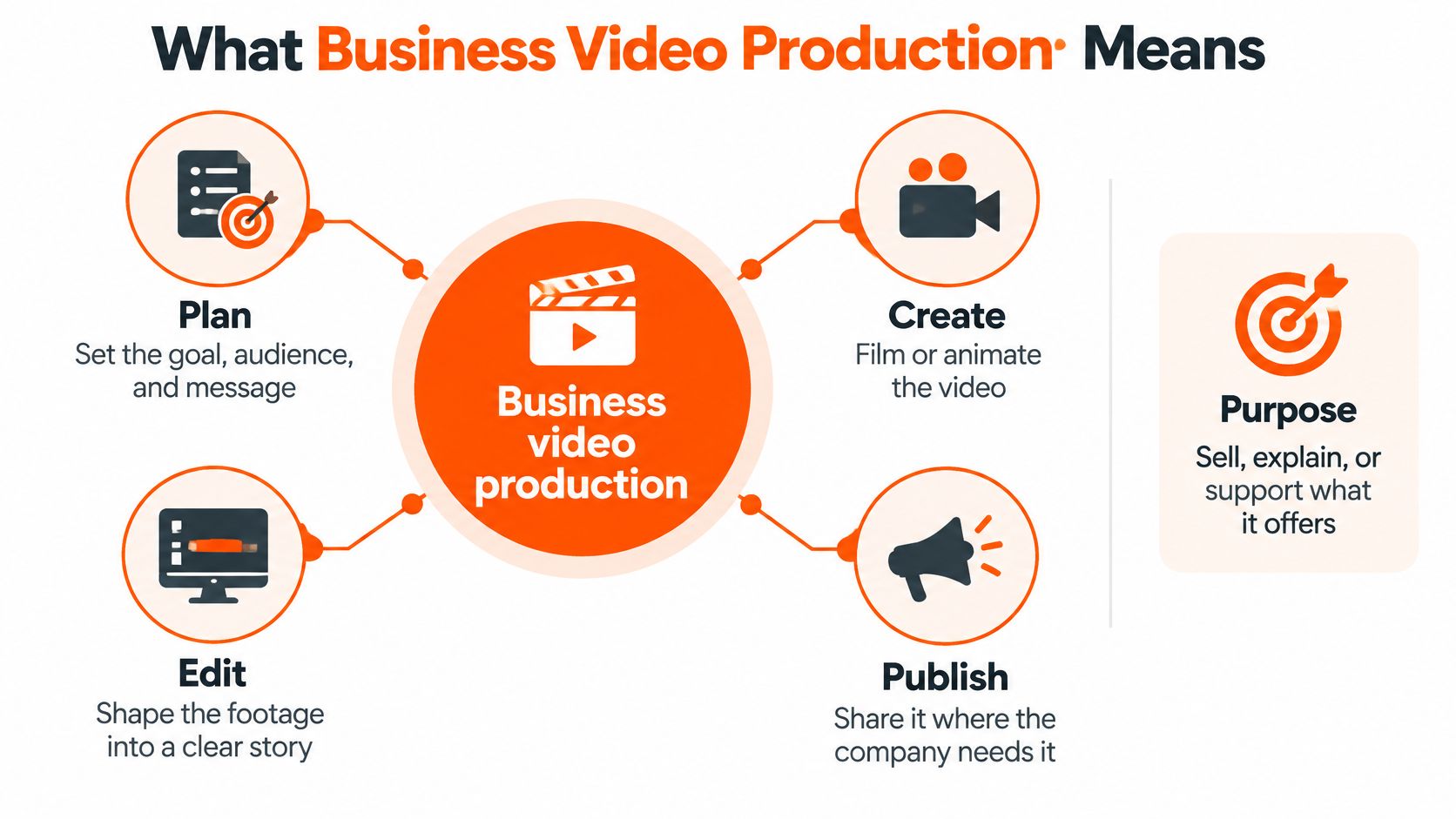
Business video production is the work of planning, creating, editing, and publishing video so a company can sell, explain, or support what it offers. A consumer clip may aim to entertain a broad audience. A business video usually needs to help a specific buyer, such as a CFO, CTO, or operations lead, understand a problem and decide what to do next.
Think of a strong business video as a colleague who explains the offer before the meeting ends. It's coffee for the buying journey: useful, focused, and over before anyone starts checking their email. A parade of views, on the other hand, can look impressive while doing very little for the sales team.
A software company might use different formats at different moments. In 2026, a marketing team could produce 60–90-second explainers, video sales letters, YouTube videos answering search questions, LinkedIn and YouTube ads, customer stories, onboarding and troubleshooting clips, and podcast episodes cut into video. Each format should have a clear audience and purpose. A troubleshooting clip for a current customer shouldn't be judged by the same standard as an ad meant to prompt a demo request.
Production also means more than pointing a camera at someone and hoping they say something quotable. The work can include audience research, a script, a shoot or animation, editing, captions, and versions designed for each channel.
Wyzowl's 2025 survey reported that 89% of businesses used video as a marketing tool, 93% of marketers said video produced a good return on investment, and 84% said video had directly increased sales. The same reported dataset found that 84% said video increased website dwell time, according to Wyzowl's survey summary. These are survey responses, not a guarantee that every video will sell. A company should still give each asset a business measure, such as qualified clicks, demo requests, or assisted pipeline.
This guide treats video as a buying and planning decision, not a film-school lecture. It starts with price bands, then follows the production workflow and finishes with a practical pipeline test.
Business Video Prices and Buying Models
A video budget works like a production pipeline: the format sets the work, the work sets the buying model, and the buying model sets the cost. The ranges below are planning guides, not formal quotes. Actual scope and process affect the final price.
Model | Length | Timeline | What you get
Explainer project | 60–90 seconds | About 14 days after script sign-off | Script, animation, professional voiceover, multiple aspect ratios
Product demo | 2–5 minutes | Varies by scope | Screen capture, callouts, voiceover, web-ready video
Customer story | 2–4 minutes | Varies by scope and customer approvals | Interviews, b-roll, edited proof film
YouTube episode | 8–15 minutes | Weekly production once the format exists | Long video plus 3–5 short clips
Ad variant batch | 15–30 seconds | 24 hours per editing request | Hooks and versions for paid social or YouTube
Monthly retainer | Mixed formats | Ongoing, with 24-hour turnaround on most editing and ad requests | Strategy plus an agreed production workflow
Planning ranges for common B2B videos and buying models:
Project or buying model | Planning band
Explainer project | $2,500–$8,000
Screen-led product demo | $4,000–$15,000
Customer-story film | $6,000–$20,000
Systemized YouTube episode | $1,500–$6,000 once the format exists, or included in a retainer
Short ad batch | $800–$3,000, or refreshed inside a retainer
Mixed-format retainer for a lean B2B team | $3,000–$15,000 a month
An explainer project suits a specific landing page or launch. Its fee can cover scripting, animation, voiceover, and versions for different placements. A product demo needs clear screen capture and a logical route through the interface. Detailed callouts, multiple user journeys, and extra versions add work, much like adding stops to a delivery route.
A customer story needs coordination before editing begins. The customer has to agree to participate, schedule an interview, and approve the finished film. Calendars can be the slowest part of production.
A YouTube episode becomes easier to plan once the team settles on a repeatable format. One long video can also supply short clips. An ad batch gives a team several hooks and aspect ratios to test. A retainer fits recurring work, such as regular YouTube production and ongoing ad creative.
Quotes vary with animation, locations, revision rounds, and the number of versions required. For budgeting and cash-flow planning, see practical financial planning for producers. A video production cost calculator can help organize likely requirements before requesting a quote.
The buying rule is straightforward: one landing-page explainer is usually a project; weekly YouTube content plus ads is usually a retainer. One has a defined finish line. The other needs a steady production rhythm.
B2B Jobs Video Handles Better Than a PDF
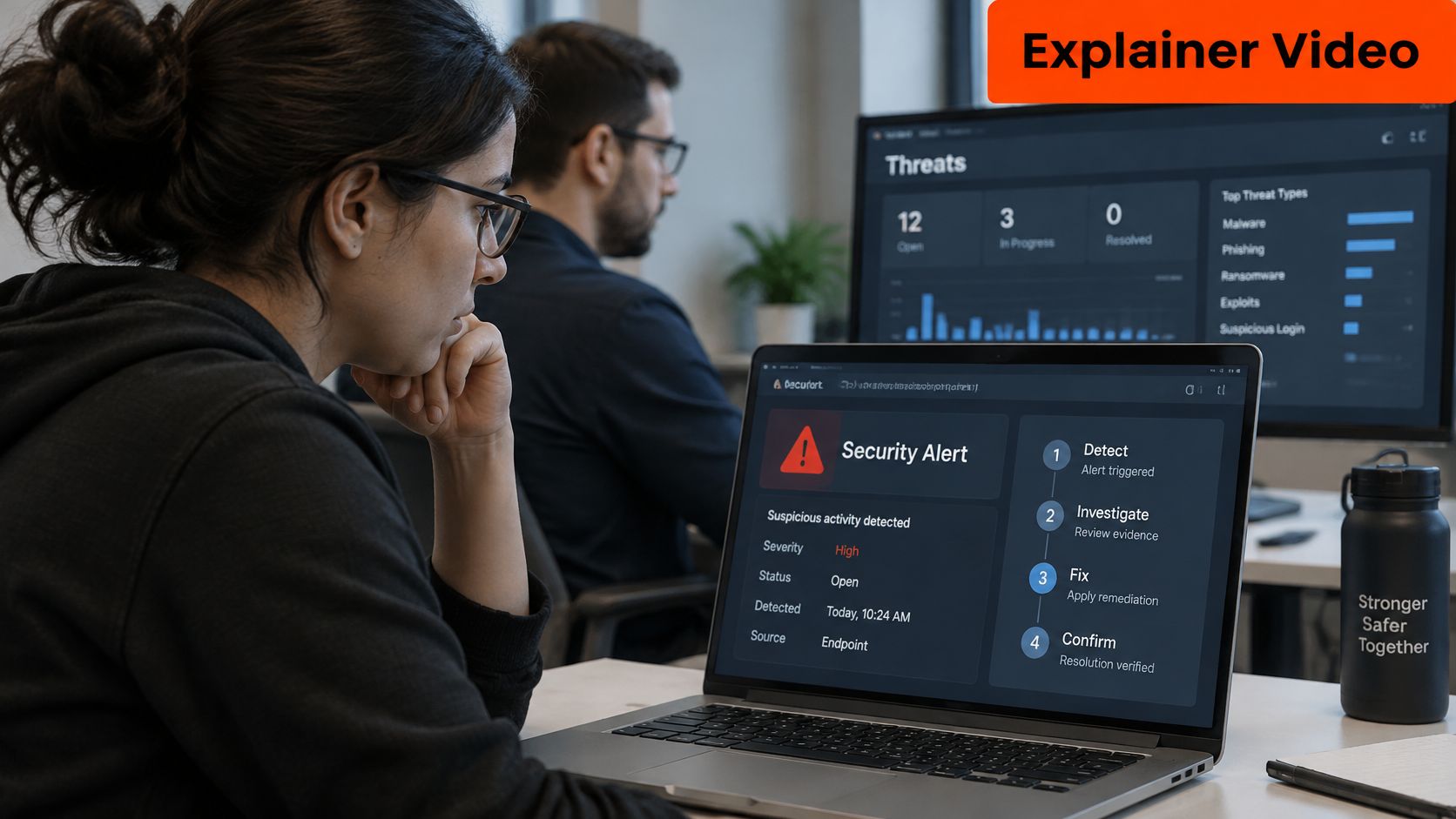
A cybersecurity explainer can show an alert moving from detection to resolution while a narrator describes each step in plain language. A buyer gets a quick mental model of the workflow, instead of trying to decode a 47-slide PDF before breakfast. The video's commercial job is to make the product easier to understand; a useful measure is whether it helps buyers take the next step.
On a pricing page, a video sales letter can explain why a product that looks complicated is worth considering. A LinkedIn feed ad or YouTube pre-roll can introduce the problem to a CTO or IT director. When buyers need evidence, a customer story can show how a peer evaluated and used the solution.
Video marketers surveyed by Wyzowl generally report that video helps buyers understand a product or service. For a short explainer, that points to a practical goal: show the workflow before asking buyers to imagine it.
The job changes after the contract is signed. Buyers still need guidance on implementation, features, and troubleshooting. A Google B2B buyer-journey document reported that 83% of respondents used Google and YouTube to better understand their product after purchase, according to the Google B2B buyer-journey document. Searchable onboarding videos, implementation walkthroughs, approval-setup clips, and help-centre tutorials can answer those questions. They work like a map beside the product, helping users find the step they need.
One expert recording can be adapted into a tutorial, short feature clips, a sales leave-behind, and a help article. Each version needs an edit suited to its audience and destination. A tutorial can cover every step; a social clip should focus on one feature or question.
The video below shows a cybersecurity workflow.
Choose one primary job for the next video. It can appear in several channels, but keep its main message and success measure clear. Views may show reach; the commercial measure should reflect the job, such as whether the video helps buyers understand the product or move toward a purchase.
How a Production Runs From Brief to Publish
A six-step workflow keeps a video tied to its commercial job from the first brief to publication. Each step gives the next person a clearer handoff, much like a production line where a missing part can stall the whole job.
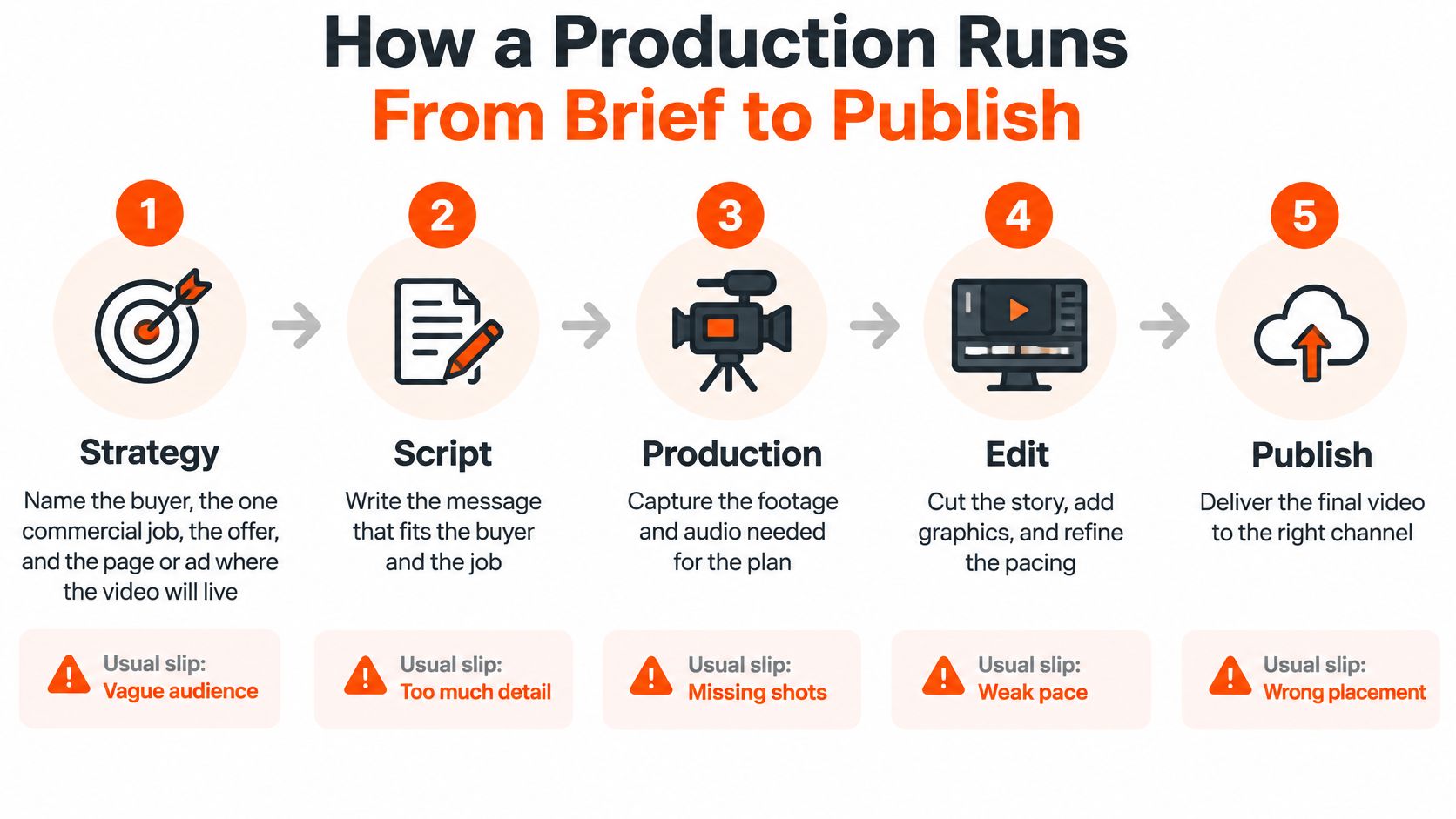
Strategy. Name the buyer, the video's commercial job, the offer, and the page or ad where it will appear. “Business leaders” is too broad to guide a script. “IT directors evaluating incident-response software” gives the team a specific audience and decision to address.
Script. Write for a non-expert, and make each sentence earn its place. For an explainer, a 60–90-second target gives the team a useful starting point. Lock the script before animation or filming. Adding a new argument after production begins is like changing a recipe after the cake is in the oven: expect extra work.
Production. Choose the capture method that suits the story: animation, a screen recording on a clean demo account, or a filmed expert. Hide personal information and distracting notifications in screen recordings. One 45-minute recording session with a client, technology partner, or industry expert can produce a YouTube video, 3–5 LinkedIn clips, a blog post, and an audio episode. Plan the shots and demonstration before recording, so the editor has the material needed to tell a complete story.
Edit. Cut around the main point, add graphics where they clarify the message, and caption the final mix. Automatic captions can misstate product names, acronyms, speaker changes, interface labels, and technical numbers. Have a person check those details against the final audio.
Versions. Export separate 16:9, 1:1, and 9:16 files from the master instead of cropping the delivered video later. Keep a high-quality mezzanine export before platform compression. Late cropping can remove interface labels or subtitles, which is a poor way to introduce a software feature.
Distribution. Give the video a title that matches its search question or ad hook, embed it on the intended page, share the appropriate cut with sales, and file consent and usage rights. A polished video on the wrong page is still a missed appointment.
Accessibility and trust belong in the brief
W3C guidance says prerecorded synchronized media should include captions for speech and meaningful non-speech audio, synchronized with the visuals. Automatic captions often need human editing. Check terminology, punctuation, timing, and sound cues, then test on mobile and desktop. W3C's accessible-media guidance explains these practices.
Closed captions work as a synchronized text track when the player supports one. Open captions help in silent-autoplay placements where viewers cannot turn captions on. Include a transcript, readable contrast, and a keyboard-usable player in the accessibility checklist. EU accessibility rules apply to many digital video services. For global campaigns, decide which languages need captions or localized versions.
Have a person review auto-captions, and disclose synthetic voices, avatars, or dubs on screen. For ongoing digital upkeep, the same thinking applies to managing client sites beyond launch: delivery starts the care phase, rather than ending the work.
Handoff rule: The asset is done when the captions, aspect ratios, and destination URL all exist.
Metrics That Tie Video to Pipeline
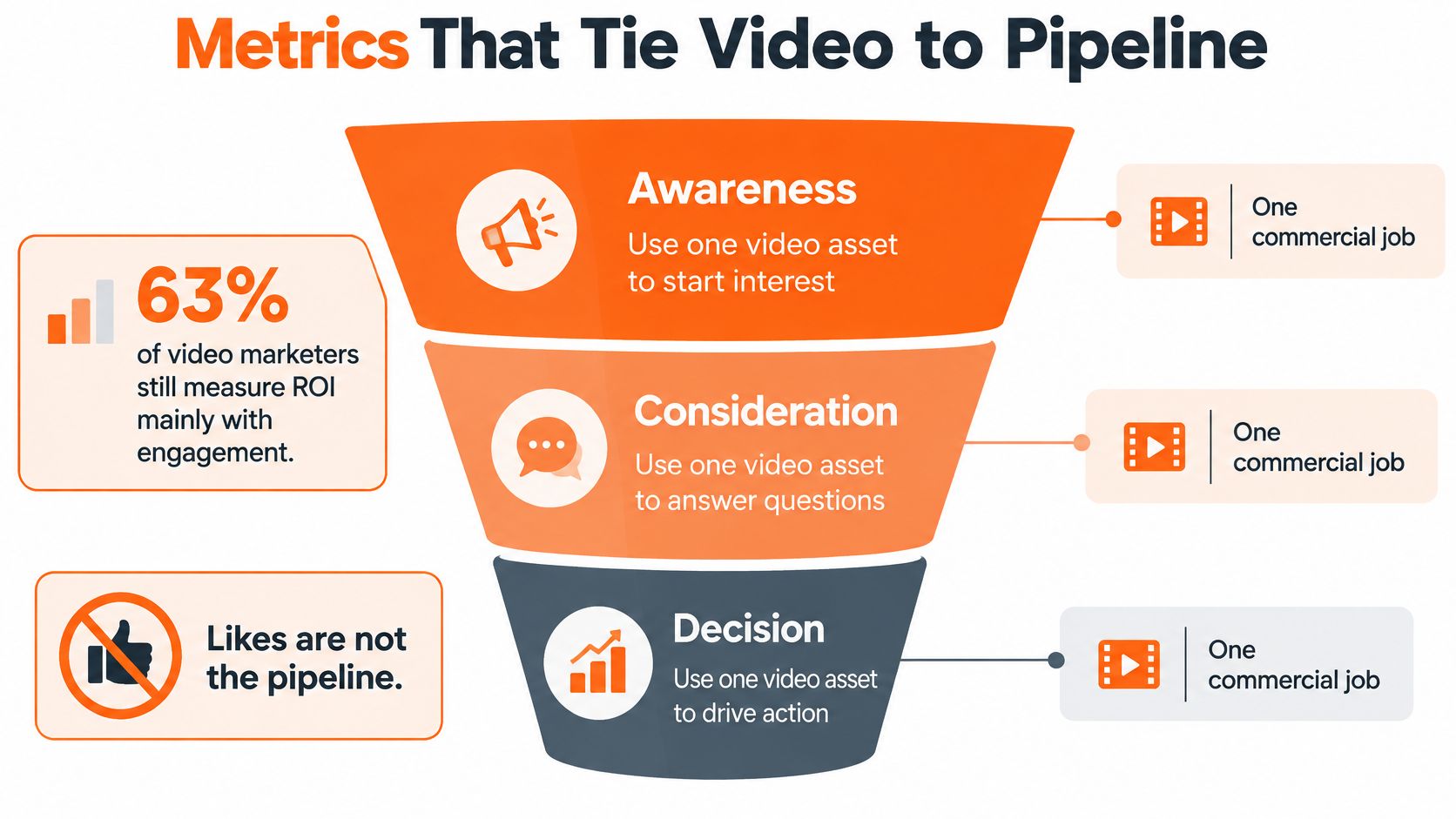
Views record plays, not buying progress. A video's commercial value depends on whether it helps the right buyer take a useful next step. Give each asset one job and choose a measure that reflects it. Likes can be a pleasant extra, but they cannot stand in for a pipeline outcome.
Commercial job | Weak signal | Measure instead
Category education | Raw views | Assisted visits and mentions on sales calls
Problem awareness | Completion rate alone | Ideal-customer accounts that watched
Proof | Likes and shares | Opportunities influenced by the story
Product evaluation | Page traffic | Demo requests and demo show rate
Sales enablement | Internal play count | Stage speed and win rate when the asset was used
Make the video visible in the sales record
Give each video a UTM or CRM campaign tag, then record exposure at the account level when possible. This is like labeling a package: the tag helps the team see where the asset showed up in the buying journey. Browser cookies alone can miss activity across devices and people.
Compare similar deals with and without exposure to the video. Treat the comparison as a useful signal, not perfect attribution. B2B buying journeys can span YouTube, LinkedIn, search, sales calls, and conversations that analytics never captures. Last-click reports may miss earlier video exposure that helped buyers understand a category or trust a solution.
For example, a software team can test two product pages, one with a two-minute demo and one with screenshots. Compare engaged sessions and meetings booked over the same 30-day window, keeping the audience and offer as similar as possible. The demo's job is to help suitable accounts take the next step, not win a views contest.
A simple spreadsheet can organize the assumptions. Use the metric that matches the asset's job, and keep the decision tied to that measure. A video that helps a handful of buying committees may matter more than a widely watched clip with no connection to the pipeline. A video ROI calculator is another way to structure those assumptions.
Funding rule: Produce another video when the last one moved a named pipeline number, even if the movement was small.
Outcomes From Real B2B Video Programs
Three practical scenarios show how a video's job changes with the buyer's stage. Survey findings can help frame the use case, but they aren't results from these hypothetical companies.
Product evaluation
A cybersecurity company replaces a long technical document with a short explainer. The animation follows an alert from detection to resolution, while a narrator describes each action in plain English. Wyzowl's 2025 survey found that 99% of video marketers said video helped increase users' understanding of a product or service. That result is self-reported; the company should judge its own video by demo requests and demo show rate.
Category education
A software team records an expert answering a search question that buyers often ask. The team publishes a YouTube episode and cuts several shorter clips from the recording. HubSpot's 2024 Video Marketing Report found that 73% of surveyed video marketers said video marketing was effective or very effective at helping their companies achieve business goals, according to HubSpot's report. The team still needs to check whether the episode brings relevant prospects to the next step, not just whether people watch it.
Support after the sale
A workflow-software company records a clear walkthrough of approval setup and adds it to the help centre. The customer who used to search through documentation can now follow the process on screen. The video's practical measure might be completed setup or fewer support questions about that task. A useful onboarding clip doesn't need a red carpet. It needs a customer to find the right button.
Business examples can also show what a focused video program may accomplish. A ContentBuck B2B HR SaaS video, “Why Your B2B Sales Cycle Is Longer Than It Should Be,” booked 320+ demos. A project-management SaaS video titled “How We Built a $2M Inbound Pipeline Using YouTube” generated 180+ inbound leads. Those are specific program outcomes, not a forecast for another company.
Across all three scenarios, the pattern is one buyer, one promise, and one counted next step, such as a meeting, a demo, or a completed setup. A small specialist audience can matter more than a broad audience that never enters the sales process.
Questions to Ask Before You Hire
Does a B2B video need a studio?
Usually not. A quiet room, a clean screen recording, or animation may be enough once the message is clear. For a screen-led demo, remove test data and close notifications before recording. For an interview, check the sound before worrying about decorative lighting.
Should the work stay in-house or go to a partner?
In-house production can fit a company that already has an editor working regularly. A partner can make more sense for a lean team that needs help with the buyer brief, script, editing, and several channel formats without hiring every production role.
Should synthetic media be disclosed?
Yes, when a synthetic voice, avatar, or dub stands in for a person, the production should disclose it on screen. A human should also review product claims, prices, and names. Software is very confident about misspelling a product name.
How should a company choose a production partner?
A suitable partner should ask who the buyer is before discussing cameras, show B2B work, include captions and channel versions in the quote, and connect the project to a pipeline measure. The relationship is a poor fit if the only goal is the cheapest possible clip with no strategic direction.
ContentBuck is a B2B video production agency offering YouTube channel growth, SaaS explainers, B2B ad creatives, podcast video repurposing, SEO content writing, and unlimited video editing subscriptions. Its B2B video production agency overview describes the service mix for teams considering an external partner.
The final decision can be kept simple: choose one commercial job, one measure, and one buying model. Then send a brief that names the buyer, the offer, the destination, and the action the video should support.
ContentBuck plans, produces, and scales video-led acquisition systems for B2B companies, including YouTube videos, explainers, ads, and repurposed podcast content. For a production plan tied to a clear business outcome, visit ContentBuck and share the next video's job, audience, and intended measure.
Parth Jasrapuria
Founder at ContentBuck
Building video systems for B2B businesses. Obsessed with YouTube growth, creative strategy, and organic SEO.