Podcast Editing Company Guide: Costs and How to Choose
Parth Jasrapuria
Founder
A founder finishes a sharp 45-minute interview, closes the laptop, then stares at a folder called "final_final2." The guest sounded great, one person echoed, the dog had opinions, and nobody has time to turn it into a YouTube episode, clips, captions, and show notes. That gap between a good conversation and publishable assets is where a podcast editing company earns its fee, or doesn't.
What a Podcast Editing Company Delivers for Each Episode
Say a B2B founder records a 45-minute interview with a customer and expects one tidy file back. That's the wrong expectation. One recording should become a full YouTube episode, an audio episode, short vertical clips, captions, show notes with timestamps, and a thumbnail. Anything less buries a useful conversation in a folder nobody opens again.
Video isn't a bonus feature anymore. Edison Research reported in 2025 that 55% of Americans aged 12 and older consumed podcasts monthly, while 37% watched video podcasts monthly and 26% watched them weekly. The same report found 51% of Americans aged 12 and older had watched a video podcast at least once. An editor who only returns an MP3 is ignoring how a large part of the audience watches.
What comes back from one recording
Full episode production at ContentBuck includes audio editing, video editing, intro/outro, branded lower thirds, captions, and final renders for YouTube, Spotify, and Apple Podcasts. Podcast production costs $300 to $500 per episode, and the client records the conversation while ContentBuck handles the rest. For a plain-language comparison of what brands budget at each level, podcast editing pricing for brands from Podmuse gives useful outside context before a quote is signed.
The table below matches each deliverable to a package level, so gaps are visible before money changes hands.
Deliverable | What It Is | Standard Package ($300) | Premium Package ($500)
Audio editing | Noise cleanup, pacing and level balance | Included | Included
Video editing | Full episode cut for YouTube | Included | Included
Captions | Synced subtitles for silent viewing | Included | Included
Short clips | Vertical cuts for LinkedIn and YouTube Shorts | 3 clips | 5 clips
Show notes | Written summary with timestamps | Included | Included
Motion graphics and transitions | Branded visual polish | Not listed | Advanced motion graphics and custom transitions
B-roll integration | Cutaway footage that keeps attention | Not listed | Included
Walk the rows one by one. Audio editing fixes the guest who leaned back from the mic and now sounds like they're calling from the car park. Video editing turns two camera angles and a screen share into one watchable episode. Captions keep the clip useful for someone scrolling LinkedIn on mute in an open office, which is most of LinkedIn, most of the time.
Short clips give one conversation several chances to be found. A founder can publish the complete interview on YouTube, then place three to seven vertical clips on LinkedIn, YouTube Shorts, and TikTok. It's rather like making one sandwich and somehow getting lunch, dinner, and a snack.
The written test
Practical rule: If a quote doesn't list a deliverable in writing, assume it isn't included.
That rule sounds harsh. It's cheaper than discovering, two days before publish, that thumbnails cost extra and captions were "assumed." A serious podcast editing company names clip counts, caption format, thumbnail ownership, and final renders in the package itself, not in a friendly sales call.
What Podcast Editing Costs Per Episode
B2B podcast production runs about $300 to $500 per episode. The client records the conversation, the editing team handles the rest, and the price difference comes down to polish and clip volume, not mysterious "production value" dust.
Option | Price | What You Get | Best Fit
Standard episode | $300 per episode | Audio and video editing, captions, 3 short clips, show notes | Weekly shows testing a format
Premium episode | $500 per episode | Motion graphics, custom transitions, B-roll, 5 short clips | Shows aimed at enterprise buyers
Volume discount | Lower rate at 4+ episodes per month | Same deliverables as the chosen tier | Teams publishing weekly or more
Full production range | $300 to $500 per episode | Editing, captions and renders for YouTube, Spotify and Apple Podcasts | Typical B2B budget range
The Standard package at $300 per episode includes audio and video editing, captions, 3 short clips, and show notes. That's enough for a weekly interview show that needs clean sound, a tidy YouTube version, and a small set of clips to test which topics pull attention.
The Premium package at $500 per episode adds advanced motion graphics, custom transitions, B-roll integration, and 5 clips per episode. That extra spend makes sense when buyers judge polish quickly, for example a software firm selling to enterprise teams where a rough jump cut next to a pricing claim looks careless.
The monthly math
Volume discounts apply at 4 or more episodes per month, which changes the math for weekly shows. Four Standard episodes cost about $1,200 a month before any discount. Four Premium episodes in a quarter batch would total $2,000. Teams comparing editing against wider post-production spend can use the breakdown of video editing costs by format and turnaround to sanity-check the per-episode figure.
Paying per episode is like a gym membership. The cost only really hurts when the sessions stop happening and the invoice keeps arriving out of habit.
What the sticker price hides
Three items rarely fit in the headline number:
Revisions: How many rounds are included, and does a caption fix count as a round?
Rush delivery: A guest news hook may need a clip tomorrow, not next week.
Strategy: ContentBuck produces podcast content and advises clients, but does not build a podcast strategy from scratch, so positioning and guest strategy need a separate budget.
A freelancer suits one or two edits a month, where one person can juggle cuts and captions without a queue. A podcast editing company suits a weekly schedule where captions, clips, thumbnails, and publishing must land on time even when one person is sick, busy, or on holiday.
Write down the exact deliverables needed, episode by episode, then score every quote against that list. The cheapest quote usually wins by quietly leaving things out.
How an Episode Moves From Recording to Publish
A clear workflow stops an episode from becoming a treasure hunt through chat threads. The steps below show who does what, and where quality gets checked.
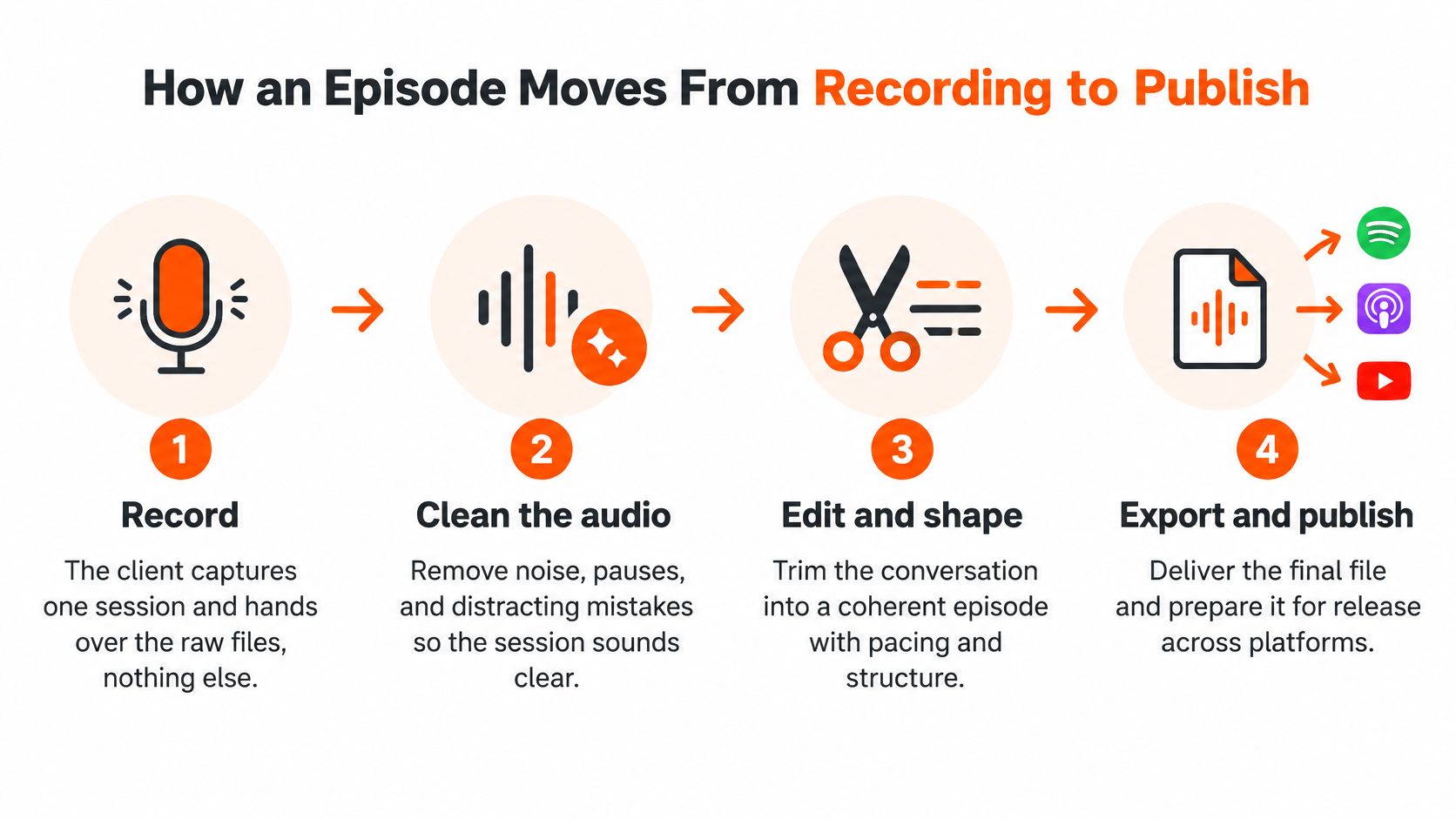
Record: The client captures one session and hands over raw files. One 45-minute recording session with a client, technology partner, or industry expert can produce a YouTube video, 3-5 LinkedIn clips, a blog post, and an audio episode.
Clean the audio: Noise, level swings, and room echo get fixed so no guest sounds like they're calling from the next room.
Rough cut: Dead air and strong tangents come out, while the story and natural pauses stay in.
Master the loudness: Loudness gets measured after all processing, then the full episode gets remeasured, not just a clean segment.
Transcribe and caption: A time-coded transcript comes from the final edit, then names, product terms, and speaker labels get corrected by hand.
Cut clips and chapters: Both come from the synced timeline, so timestamps match what's on screen.
Design and write: The thumbnail and show notes promise the same payoff as the episode title.
Render and archive: Platform versions get exported, and a high-resolution master is kept so nothing is re-encoded from a lossy copy.
Apple Podcasts specifies approximately −16 LKFS with a ±1 dB tolerance and a maximum true peak of −1 dBTP, as set out in the loudness normalization guidance from Metavert. AES guidance in the same source recommends keeping streaming-program peaks at or below −1.0 dBTP to reduce clipping from lossy encoding.
Setting | Target | Why it matters
Integrated loudness | About -16 LKFS, plus or minus 1 dB | Listeners avoid volume jumps between speakers
True peak | At or below -1 dBTP | Prevents clipping after lossy encoding
Archive master | High-resolution copy kept | Platform versions are never re-encoded from a lossy file
The client records the conversation and approves the finished episode, while ContentBuck handles the editing and production. Teams that want the wider production sequence can read the B2B podcast production guide before locking a workflow. Approval is the client's only job. Everything else belongs on the editor's checklist.
Packaging Episodes for YouTube and Short Clips
An episode about enterprise software procurement sounds like homework. Packaged well, it becomes a search result that a busy buyer clicks. Packaging isn't decoration added after editing. It's part of post-production, and it decides whether the episode gets found at all.
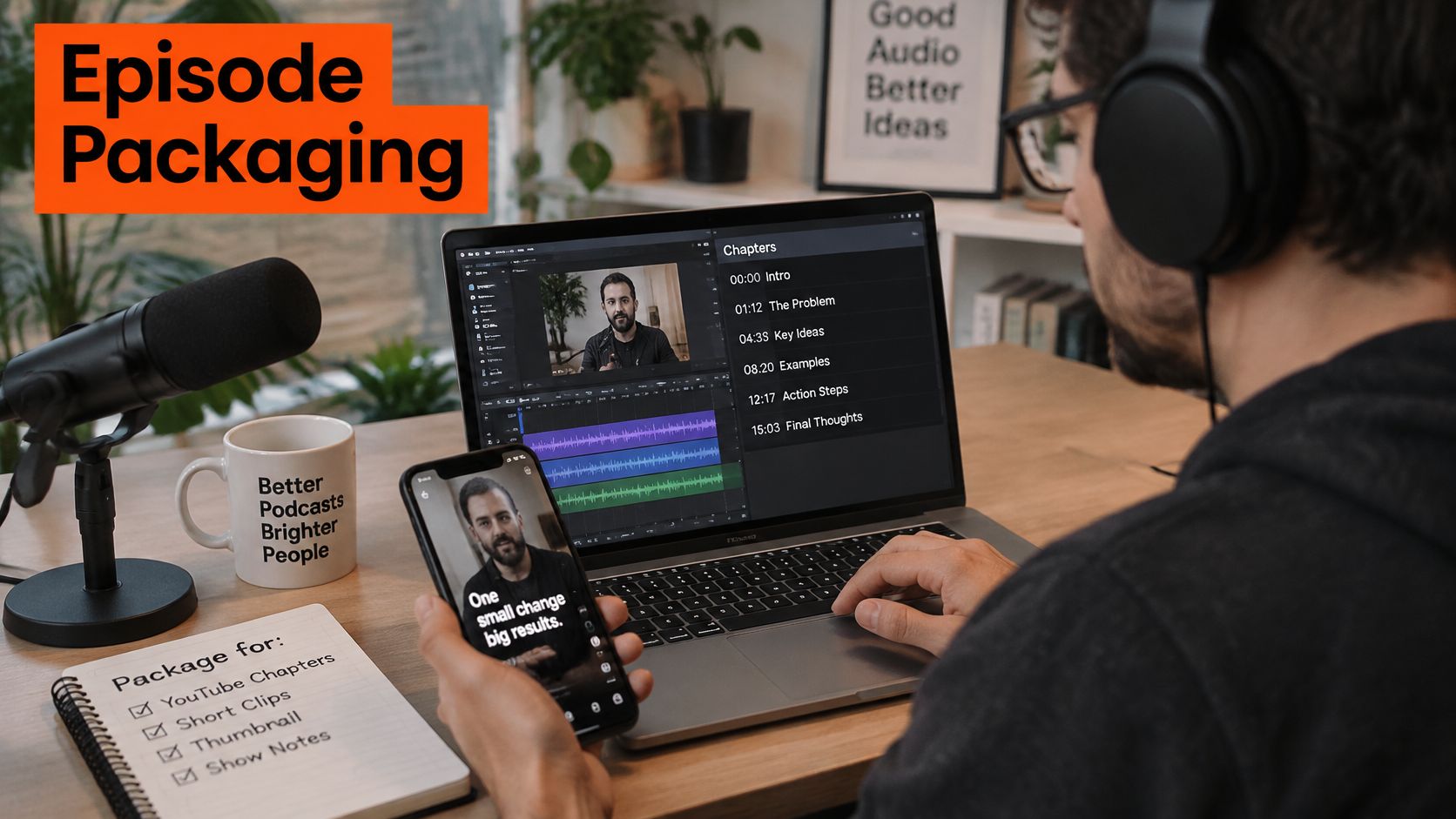
Start with that procurement interview. The title names the problem in plain words, not "Episode 34: A Great Chat." The thumbnail shows the guest's face and one clear benefit, readable at phone size. Chapters split the conversation into security, pricing, and rollout, so a viewer who only cares about pricing can land there without scrubbing through 40 minutes of video like they're defusing something.
Chapters that help instead of decorate
YouTube's podcasting best practices guidance states that chapters require a first timestamp beginning at 00:00, at least three timestamps in ascending order, and chapter segments of at least 10 seconds. The same guidance presents chapters and detailed descriptions as important tools for podcast user experience and discoverability.
Chapter boundaries should follow complete topic units, not neat five-minute intervals. A viewer arriving from search needs context in the first seconds. A chapter that starts mid-anecdote, with the guest saying "and that's why it failed," gives that viewer a punchline with no joke.
One transcript, many assets, synced first
The transcript should be generated from the final mixed edit, then corrected for names, product terms, acronyms, and speaker attribution. Only after it's synced to the final timeline should it feed show notes, subtitles, and clip selection. Cuts and removed pauses shift timestamps, and a transcript from the raw recording will point viewers to moments that no longer exist.
Each episode at ContentBuck is cut into 3-5 short clips of the most insightful moments, formatted for LinkedIn, YouTube Shorts, and Twitter, and timestamped in the show notes. SEO show notes are written from the episode transcript plus keyword research, and each episode becomes a rankable blog post on the client's site. That turns one procurement interview into a searchable page, not just a video file.
Each clip should answer one narrow question, such as why SaaS buyers reject demos. Broad clips that try to cover the whole episode in 40 seconds end up covering nothing. Teams testing automated clipping tools can use a closer look at Opusclip from DBotMaker to judge where automation helps and where a human editor still needs to check hooks, captions, and framing.
The consistency check
Titles, chapter names, thumbnails, and clip hooks should all promise the same thing. If the thumbnail shouts about pricing but the clip opens with small talk about the guest's morning, viewers leave and the algorithm learns the wrong lesson. Every clip also needs a link back to the full episode, because a clip's job is to be a door, not a dead end.
A podcast editing company that treats packaging as real production work will show samples where the title, chapters, and clips line up. The detailed breakdown of how a B2B podcast video agency packages episodes for multiple platforms gives a useful benchmark for comparing those samples.
A clip that can't be understood on mute, without the episode around it, isn't finished. It's a fragment.
How to Judge a Podcast Editing Company Before Hiring
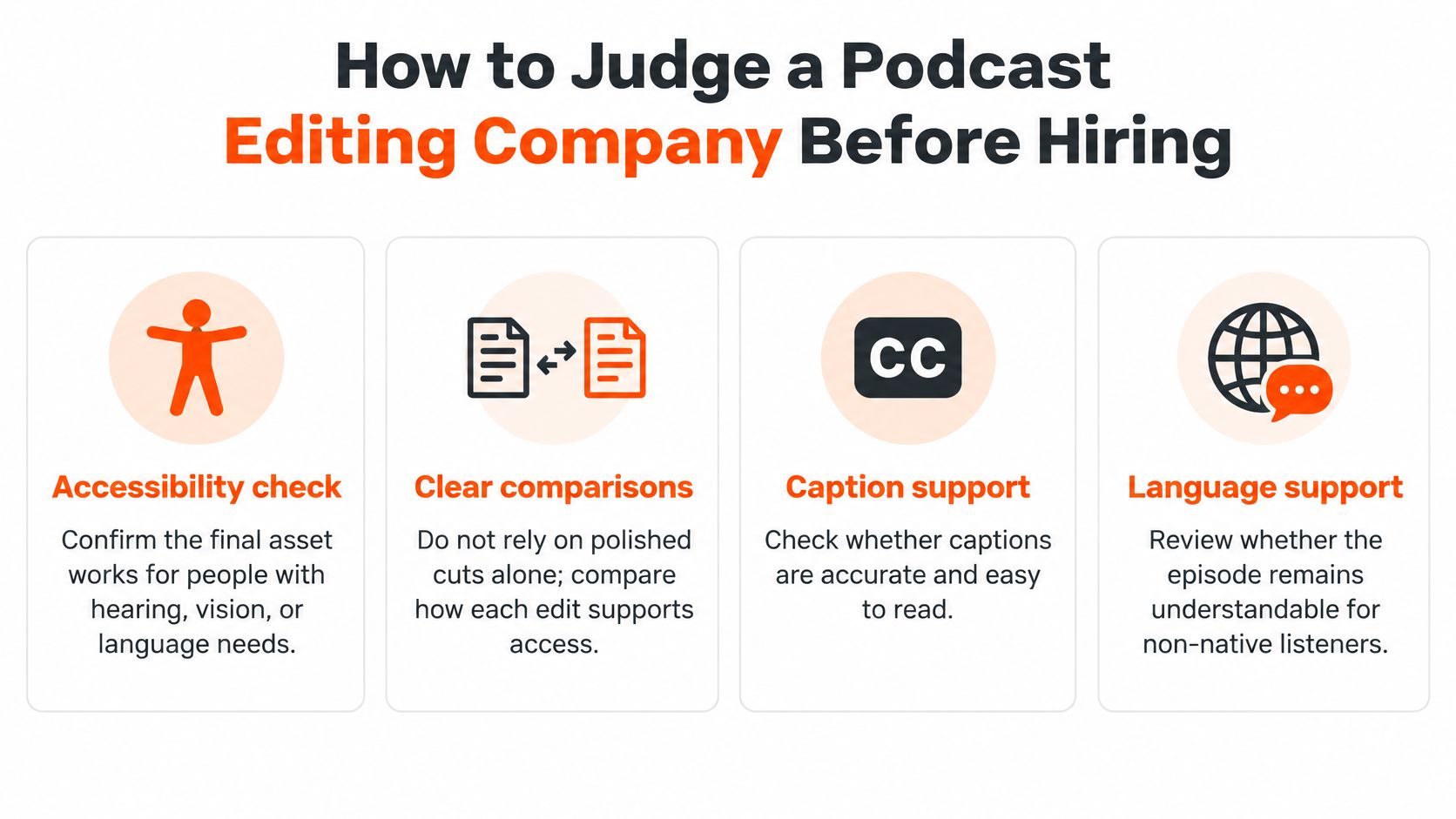
Polished cuts are the easy part to judge. The harder test is whether the finished asset works for people with hearing, vision, cognitive, or language-access needs, and most comparisons skip that test entirely while arguing about clip counts.
Section 508 guidance on captions and transcripts requires synchronized captions that include dialogue and important sounds, plus transcripts available alongside the original media in an accessible format. So the question is operational. Who checks speaker labels, sound effects, terminology, reading order, and caption timing across YouTube, podcast players, the website, and short-form exports?
Criterion | Strong Answer | Red Flag
Loudness proof | Reports integrated loudness and true peak for each master | Says it sounds loud enough
Transcript quality | Corrects names, terms and speaker labels by hand | Ships raw automatic captions
Accessibility checks | Validates caption timing and reading order on each platform | No caption check beyond the edit
Turnaround | Gives a set window such as 24 hours for standard edits | Promises fast delivery with no number
Revisions | Unlimited revisions until approval, stated in writing | Revisions billed per change
Clip count and format | Names clip count and aspect ratios up front | Vague about how many clips you get
Dedicated editor | Names one editor or account manager | Work is passed around with no owner
Say a 45-minute B2B interview covers three products. Raw auto-captions misspell all three product names and swap two speakers, so the guest appears to argue with themselves. The scorecard catches that in a sample episode, before a contract turns it into a monthly hobby.
Ask for a sample, grade it against this checklist, then compare quotes on the same rows. The lowest price stops looking clever once caption repair lands back on the marketing team's desk.
Tracking Clips and Episodes Beyond Play Counts
Views are easy to count and easy to overvalue. A clip can collect plays from people who'll never buy, never click, and never remember the brand. The harder, more useful question is whether episodes and clips move the right people toward a conversation.

That measurement gap is now a buying barrier. Advertiser research reported by Sounds Profitable found that 50% of surveyed brands cited limitations in performance data, and 76% said they would increase YouTube-podcast investment if attribution matched the capabilities available for audio. Production quality alone doesn't answer that concern.
A podcast editing company can't credibly promise direct revenue from every listen. B2B buying journeys are long, multi-touch, and often anonymous. A CFO may watch a clip in March, read the show notes in May, and book a demo in September after a board meeting. Any editor claiming a straight line from one view to one deal is selling fiction with nice captions.
Build trackable assets before editing starts
What an editor can do is make measurement materially better. That work starts before the first cut, not in a dashboard afterwards.
Consistent naming: Give each episode and clip a stable code, such as EP24-C2, used in file names, links, and reports.
Tagged links: Use separate tracked links for YouTube, LinkedIn, podcast apps, and the episode page, so traffic sources don't blur together.
Platform-specific calls to action: A LinkedIn clip can point to the episode page, while the YouTube description points to a related guide or demo page.
CRM campaign mapping: Tie episode codes to campaigns so assisted conversions and influenced opportunities can be reported later.
Say a clip asks why buyers reject demos. It carries its own tagged link to the episode page, where the full interview, transcript, and a relevant resource sit together. If that page produces engaged visits from target accounts, the clip did pipeline work even if its raw view count looks modest next to a funnier, broader clip.
The short walkthrough below shows how editors and marketers review retention and click behaviour together before deciding what to clip next.
Separate reach from pipeline
A monthly report should split two families of numbers. Reach metrics cover views, watch time, retention, and follows. Pipeline signals cover engaged episode-page visits, resource downloads, repeat visits from target companies, and influenced opportunities. Mixing them into one cheerful total helps nobody plan the next episode.
Reporting by topic, guest, and hook makes the next recording smarter. If procurement pricing clips bring engaged traffic while culture clips only bring polite likes, the guest list and question plan should change. That's a production decision an editor can support with evidence.
Monthly check: Which topic produced the most engaged traffic, and which single clip brought people to the episode page? If the team can't answer both, the naming and tagging system needs fixing before more clips get made.
Podcast Editing Questions Buyers Ask Most
How much time does the client spend per episode? One recording session, then a review and approval of the finished episode. The editing team handles editing, captions, clips, show notes, and distribution files in between.
Should payment be per episode or on a monthly plan? Per episode suits a trial run. Volume discounts start at 4 or more episodes per month, and clients need to be willing to commit to a weekly or bi-weekly recording schedule to be a fit for the podcast video service.
What should be sent to the editor? Send the raw recording files, correct guest name spellings, product terms and acronyms, brand assets, and the goal of the episode. A two-line note on which answer matters most saves an editor from clipping the funniest moment instead of the useful one.
What if only one or two edits a month are needed? A freelancer can cost less at that volume. A podcast editing company suits teams publishing on a steady schedule, where missed captions or a late thumbnail break the whole release chain. Match the plan to real output, not the output planned in a January kickoff deck.
Book a free discovery call, bring the deliverables list and last quarter's episode numbers, and ask for the loudness and accessibility checks in writing. Free discovery calls have limited spots each month, so a prepared list gets more value from the slot.
Bring one raw recording, a deliverables list, and honest publishing dates, and ContentBuck can map the right package, clip count, and turnaround for a B2B podcast. Visit ContentBuck to book a free discovery call and turn the next conversation into a finished episode, clips, captions, and show notes without adding an editing shift to the marketing team's week.
Parth Jasrapuria
Founder at ContentBuck
Building video systems for B2B businesses. Obsessed with YouTube growth, creative strategy, and organic SEO.