YouTube Video Production for B2B: A Practical Guide
Parth Jasrapuria
Founder
A marketing lead gets told to “start a YouTube channel” and opens a spreadsheet. There are product demos, customer calls, webinar recordings, and a subject-matter expert who can explain the product brilliantly, provided nobody asks them to improvise on camera. The challenge isn't finding something to film. It's deciding which video could help a buyer move forward, then building a process that gets it made and used.
That's the difference between YouTube video production as a content output and production as a revenue system. The camera and edit matter, but the commercial work starts earlier: choosing a buying problem, matching the video to a decision stage, and measuring what happens after the view.
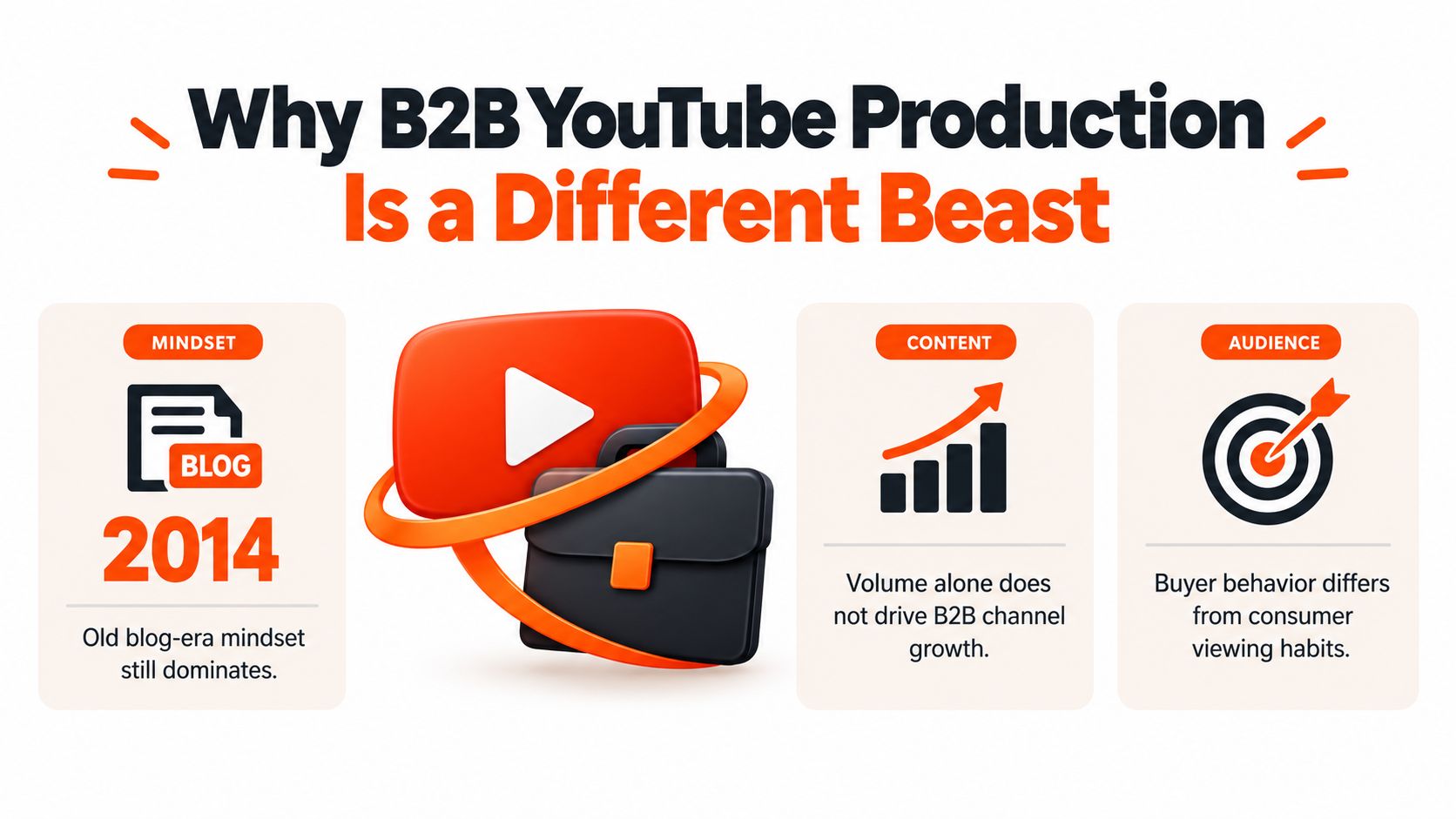
Why B2B YouTube Production Is a Different Beast
A channel can look busy and still do very little for the business. Twelve demos uploaded without a clear audience, search intent, or sales purpose are just twelve videos asking viewers to do the strategic thinking.
YouTube's scale makes that lack of focus expensive. In a 2019 analysis, Pew Research Center examined 43,770 popular channels and nearly 250,000 videos published in the first week of the year. Those uploads amounted to 48,486 hours of video, and the most active tenth of channels produced approximately 70% of the videos in the sample, according to the summary of Pew's YouTube channel analysis. The analysis covered popular channels, not every account, but the takeaway for a B2B team is practical: publishing capacity and consistency matter.
Demand is substantial, too. Industry summaries report that more than 500 hours of video are uploaded every minute, while YouTube generates more than 1 billion hours of viewing globally each day (YouTube platform statistics). Neither figure promises results for an individual channel. Together, though, they explain why production quality alone won't earn attention. The topic, packaging, opening, and distribution all have a job to do.
Three questions before the camera comes out
A B2B channel should operate like a programming system, not a pile of occasional uploads. Before hiring a production partner or shopping for a camera, leadership should answer:
Who is the ideal customer profile? “Business owners” is not a usable audience. Identify the role, company context, and problem.
What buying job does each episode perform? A video might explain a problem, validate a technical approach, address an objection, or help sales demonstrate a workflow.
How will commercial influence be measured? Views can show reach, but they won't explain whether a video helped a buyer evaluate the product or gave sales a useful follow-up.
A hypothetical SaaS team that begins with a folder of demos can reorganize them around search intent and real objections from sales conversations. The change isn't more elaborate filming. It's giving every episode a buyer and a purpose.
Building a Channel Strategy That Maps to the Buying Journey
A channel strategy starts with the buyer, not the upload calendar. A mid-market cybersecurity company, for example, might hear “we need thought leadership” and end up with broad commentary that's difficult for prospects to find and even harder for sales to use. A more useful plan begins with the questions buyers ask when they're trying to understand a risk, compare approaches, assess vendors, or get an existing product working.
Make four decisions before setting cadence
Define the ICP tightly. Specify who the video is for and what that person needs to do. A security leader evaluating detection tools needs different information from an IT administrator configuring an integration. One broad video can try to serve both, but it usually serves neither particularly well.
Map each episode to a buying job. Use categories that connect content to decisions: problem education, category creation, technical validation, objection handling, and sales enablement. Then make the next step fit the job. An educational video might point to a practical guide; a technical walkthrough could direct an evaluator to a product demo.
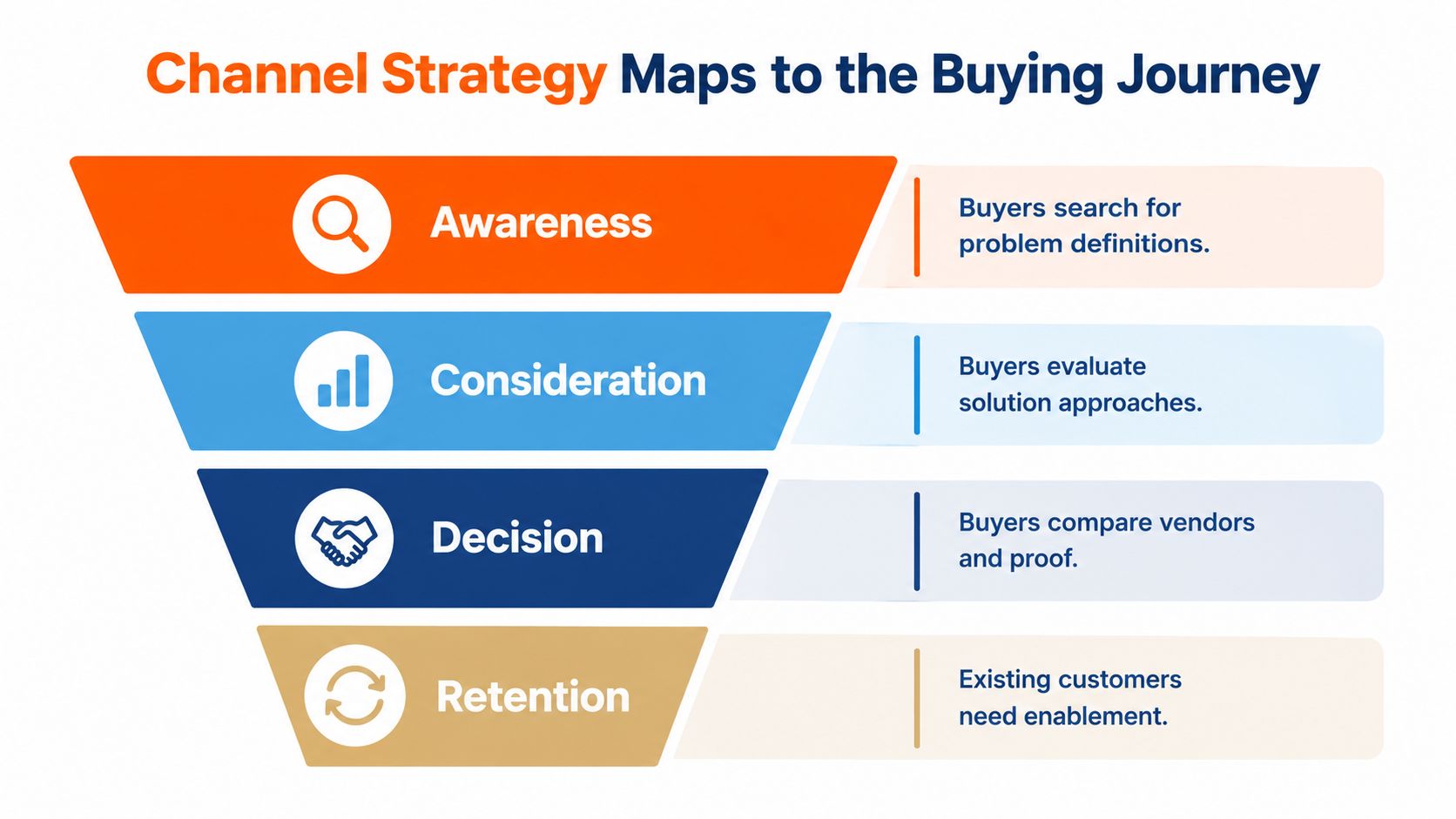
Build a simple taxonomy. The cybersecurity channel might group episodes into problem explainers, comparison videos, product demos, and customer stories. That structure helps a prospect find the next useful video and helps the internal team spot gaps. A vague “thought leadership” label doesn't do either.
Set a sustainable cadence last. Choose a schedule the team can maintain with its real review and approval process. If subject-matter experts can only record occasionally, batch their interviews and plan edits around that constraint. Publishing often without a useful topic is just making the calendar look productive.
A one-page plan can capture the essentials: audience, buying job, episode type, viewer promise, next step, owner, and measurement. Common mistakes are choosing frequency before topics, treating every video as awareness content, and failing to turn sales-call objections into episode ideas.
For teams building a broader demand-generation plan, Captiwate's B2B playbook provides useful context for connecting channel activity to commercial goals. For more on channel planning, see this YouTube channel growth strategy.
Scripting and Pre-Production the Title-First Way
A video starts losing viewers before the edit if its opening takes too long to reach the point. “Welcome back to the channel” isn't a hook. The viewer clicked because they expect help with a problem, not because they've been waiting to admire the host's animated logo.

Promise first, script second
Write a working title and thumbnail concept before drafting the script. Then state the video's promise in one sentence: “By the end, a security team will know how to assess whether a new alert workflow fits its existing process.” If the sentence is fuzzy, the episode probably is too.
For a ten-minute software demo, the outline could be:
Opening: Name the problem and show the finished workflow.
Proof point: Explain the limitation in the current process.
Demonstration: Walk through the relevant dashboard and integration.
Objection: Address a realistic concern, such as implementation complexity.
Next step: Direct the right viewer to a deeper demo or a conversation with sales.
That's a structure, not a stopwatch. The editor can tighten sections that repeat, and the presenter can explain technical details naturally. A word-for-word script is useful for precise claims or a difficult introduction; for a familiar product walkthrough, bullet points often sound less like a ransom note read aloud.
The pre-production check should cover the presenter, demo environment, screen capture, permissions, and any supporting footage. Open the software, clear notifications, confirm the right account is on screen, and make sure the interface is readable. Reshooting a broken demo is no one's idea of a fun team-building exercise.
A strong opening also has to match the title and thumbnail. YouTube advises creators to make those elements accurately reflect the video, then review performance using measures such as impressions and watch time (YouTube Analytics guidance). A curiosity-heavy title that promises more than the video delivers may win a click and lose the viewer's trust.
The same title-first discipline helps with product-launch storytelling. This guide to how to script a launch video offers a useful reference for shaping the message before filming.
The embedded video can serve as another prompt for thinking through the production approach:
The Production, Editing, and Repurposing Pipeline
A screen recording lands in the editor's inbox at 4 p.m. on a Friday. The audio is muffled, a calendar notification pops up halfway through the demo, and nobody marked which takes were usable. That video is now behind schedule before anyone has cut a frame, and the fix will cost more than the original shoot day. A working pipeline exists to catch these failures while they're still cheap.
Five stages, with a gate at each handoff
Stage | Owner's job | Quality gate
Brief | Define audience, buying job, promise, and next step. | The reviewer can name who the video serves and what it should move them to do.
Record | Capture the presenter, demo, audio, and supporting shots. | Dialogue is clear, the demo works, and the screen is readable.
Rough cut | Remove dead space, repetitions, and unusable takes. | The story still makes sense without decorative graphics.
Fine cut | Finish sound, captions, visual polish, and platform exports. | Brand, facts, accessibility, and framing pass review.
Repurpose | Select useful moments and adapt them for other placements. | Each asset has a defined audience and job.
Each gate protects a commercial outcome. A brief that can't name the buyer's stage produces a video that can't move them to the next one.
Revision rounds get more expensive the later they land. A script change costs an email. The same change after the fine cut means re-editing, re-captioning, and re-exporting every asset derived from that timeline, so the cheapest quality gate is always the earliest one that would have caught the problem.
Technical standards prevent avoidable failures at the record and export stages. YouTube recommends matching the export frame rate to the recording, using progressive video, and delivering at least 1280×720 for conventional 16:9 content; its upload guidance also specifies H.264 video and AAC-LC or Opus audio (YouTube's recommended upload encoding settings). A presenter recorded at 30 fps should be exported at 30 fps rather than conformed to a cinematic preset that adds nothing for a buyer watching a product walkthrough.
Captions get a human pass during the fine cut, while project files are still open. Automatic captions mishear product names and technical terms; YouTube describes them as machine-generated, and its caption guidance covers caption and translation options (YouTube caption information). Correcting the transcript in the edit is faster than patching a published video.
Repurposing is an editorial decision
One well-planned shoot can yield a full YouTube episode, vertical clips, a square social cut, a written recap, and an email excerpt. Each adaptation has to keep enough context to make sense on its own. Cropping a horizontal interview into a vertical frame without checking the speaker's position produces a clip that looks filmed through a keyhole.
Each cut also needs a commercial job. A thirty-second clip that names a painful problem belongs in front of buyers who haven't felt it yet, while an eight-minute implementation tutorial serves someone already comparing vendors. Wistia's 2025 report found average engagement of 50% for videos under a minute and 46% for videos running one to three minutes, and short how-to videos under a minute reached 82% engagement (Wistia's 2025 video report summary). Those are reported averages, and no single B2B clip is guaranteed to match them, so measure the format against the job it was cut to do.
Third-party material needs real transformation before it earns a place in the pipeline. YouTube's monetization guidance allows reused content when creators add meaningful original commentary or educational value, and it requires disclosure for realistic altered or synthetic content where applicable (YouTube's creator policy guidance). A logo laid over someone else's webinar adds no editorial value.
Teams that want to hand off post-production can compare what a YouTube video editing service covers at the rough-cut and fine-cut stages. Teams running creator or influencer activity can also review YouTube creator campaign attribution tactics when deciding how those clip touchpoints should connect to pipeline.
YouTube SEO and Upload Optimization That Actually Moves the Needle
Upload optimization should help the right buyer recognize the video, understand what it covers, and get to the useful part. It isn't a ritual of placing a keyword into every available field until the description sounds like a search engine had a meeting with a filing cabinet.
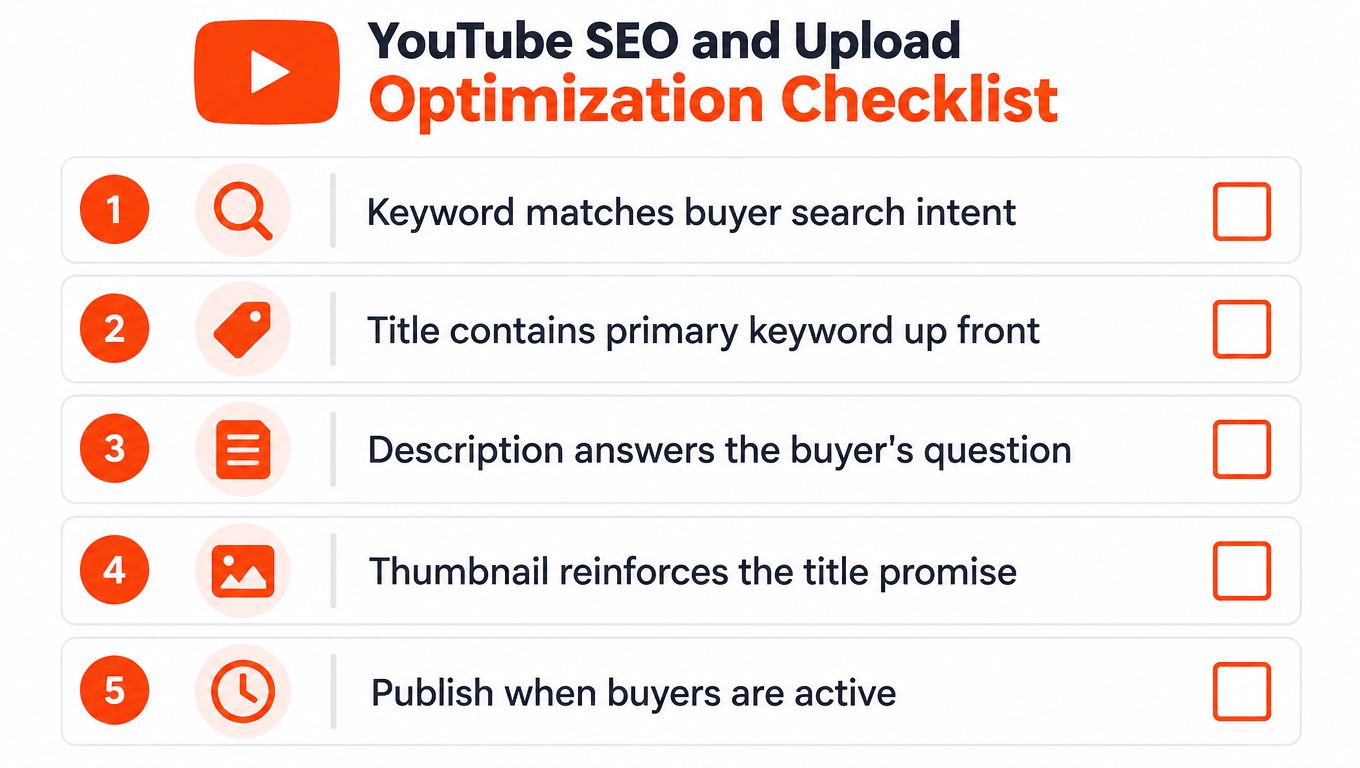
A buyer-focused upload checklist
Title: Put the topic or buyer problem where a viewer can understand it quickly. “How to connect a CRM to a product analytics dashboard” is clearer than “A smarter way to work.”
Description: Summarize what the viewer will learn, explain who the video is for, and include a relevant next step. Avoid claiming features the video doesn't demonstrate.
Chapters: Give viewers a clear route through the content. For a twelve-minute demo, labels might include “Problem,” “Dashboard tour,” “Integration,” “Pricing,” and “FAQ.” These should describe what happens, not serve as keyword confetti.
Captions: Review technical vocabulary, speaker names, and on-screen terms. An incorrect product name in captions can make the company look like it has never met its own software.
Thumbnail: Make its promise consistent with the title. Compare qualified viewing outcomes rather than chasing clicks that don't lead to sustained attention.
Google recommends video metadata that helps search engines understand details such as a video's title, description, thumbnail, upload date, and duration. Creators can also add timestamps and labels in YouTube descriptions so Google may identify and link to key moments (Google's video SEO documentation). A timestamp such as 01:20 Dashboard tour is useful when the label matches the segment.
Browse, Search, and Suggested viewers may arrive with different intent. Someone searching for a specific integration likely wants a direct answer; someone discovering a video through Browse may need enough context to understand why the topic matters. Review performance by traffic source and look at impressions, click-through rate, and retention together. A high click-through rate with weak retention may mean the packaging promised a different video from the one delivered.
For a wider checklist on search-focused video publishing, use this guide to SEO video optimization.
Pricing Models, SLAs, and How to Choose a Production Partner
A team signs the cheapest retainer in March, then the April launch video is still in review while sales asks for a walkthrough to answer a live objection. The invoice looked efficient. The pipeline exposure was not.
Price the operating system, not the deliverable. Ask who owns scripting, who checks product claims, who consolidates feedback, who uploads, and who is accountable when a consideration-stage video misses the moment it was meant to support.
Model | Works well when | Trade-off to examine
In-house | Output is recurring, an internal owner is clear, and reviewers can turn feedback around. | Payroll is only part of the cost. Stalled approvals, competing priorities, and context switching can delay sales-ready assets.
Monthly retainer | The channel needs steady cadence, repeatable workflow, and predictable capacity. | Define scope, named people, turnaround times, and how extra or unused work is handled. A retainer can fund activity while revenue work waits.
Project or credits | Work arrives in launches, pilots, or uneven formats. | Check credit value, expiry rules, and whether strategy, revisions, and measurement planning draw from the same pool.
Put the service level in writing
A useful agreement covers response times, rush availability, review rounds, ownership of raw footage, final file prep, named editor or account lead, timezone coverage, and exit terms. “Unlimited revisions” helps only if it defines a revision, explains how feedback gets consolidated, and says when the clock pauses for late stakeholder input.
Tie milestones to commercial timing. For an explainer, the clock might start at approved script sign-off. For ongoing creative, agree how often evaluation-stage hooks refresh and who chooses the next test. These details decide whether video reaches buyers while the question is still open.
Choose based on the constraint that blocks revenue. If editing capacity is the gap, buy throughput. If buyer-focused narrative is the gap, buy strategy and scripting first. If videos support discrete launches or sales pushes, project scope may beat standing capacity.
Ask a prospective partner to walk a real brief through intake, product-claim checks, review, edit, versioning, and upload. Watch how they handle a wrong product name, a slipping expert, or a sales request mid-edit. Discuss campaign attribution only when it applies to the planned campaign; production and measurement should connect, and they remain separate responsibilities.
Measuring YouTube Like a Revenue Channel, Not a Vanity Channel
Views and subscribers can describe audience activity. They can't, by themselves, tell a B2B leadership team whether video helped buyers evaluate a product, gave sales a useful follow-up, or contributed to an opportunity. The video with the highest public view count may be less commercially useful than a quiet technical walkthrough shared privately during evaluation.
Start each episode with a buying-stage hypothesis. Is it meant to clarify a problem, compare approaches, validate a technical requirement, address an objection, or help an existing customer? Then choose a measure that fits. YouTube's analytics documentation identifies impressions and watch time among the platform's performance measures, while conversion and sales influence require additional tracking beyond views.
Connect viewing to the buying process
Use tagged links in descriptions when a viewer takes a next step. Where appropriate, give a campaign or video its own landing page, then record video engagement or a video-related conversation in the CRM. The goal isn't to pretend every anonymous view can be identified. It's to make meaningful interactions visible to marketing and sales.
A useful dashboard can separate awareness content from consideration and sales enablement. For each video, record its audience, buying job, next step, retention pattern, assisted conversions where observable, and sales feedback. Track branded search or demo-quality changes as contextual signals, not automatic proof that one episode caused a result.
A customer story can be useful even if it never goes viral. Suppose an account team shares it with several active prospects, and sales reports that the story helped address a specific implementation concern. That qualitative evidence is more actionable than celebrating views without knowing who watched or why.
Ask sales regularly: Which videos helped answer a buyer's question? Which objections keep coming up? Which episodes do salespeople share, and at what stage? What content is missing when a prospect asks for proof?
Those answers belong in the editorial process. The revenue system works when production, distribution, CRM reporting, and sales feedback inform one another. The most valuable video may be the one a buyer committee watches privately, not the one strangers happen to find entertaining.
FAQs
How often should a B2B company publish on YouTube?
Choose a cadence the team can sustain while keeping the topics useful and the review process realistic. A steady schedule is valuable only if the videos serve defined buyer needs.
Should every video be a product demo?
No. Buyers may need problem education, comparisons, technical validation, objection handling, customer proof, or onboarding help. Match the format to the buying job.
Are views a useful YouTube metric for B2B?
They can indicate reach, but they don't show commercial influence on their own. Pair platform analytics with tagged next steps, CRM context, and sales feedback.
What makes a good B2B video opening?
State the viewer's problem and the outcome the video will deliver. Show or explain value early, and cut long introductions that delay the answer.
ContentBuck plans and produces B2B YouTube programming, explainers, ad creative, and repurposed video, with scripting, editing, and channel support available through its service options. If your team needs a production process tied to buyer intent and pipeline measurement, visit ContentBuck to discuss the work.
Parth Jasrapuria
Founder at ContentBuck
Building video systems for B2B businesses. Obsessed with YouTube growth, creative strategy, and organic SEO.