Camera Shot Names: 10 Types Every Video Maker Needs
Parth Jasrapuria
Founder
The marketing team has the script, the product, and a willing founder. Then someone asks where the camera should go. Suddenly, a simple video shoot feels like assembling office furniture without the instructions.
Two videos can show the same product and feel completely different. One feels like a warm hug. The other feels like a parking ticket with background music. The difference often comes from camera shot names translated into smart framing choices, not a more expensive camera.
A wide view can show where a product works. A closer view can reveal a speaker's reaction. A tiny detail can help a technical buyer inspect something that a polished sales pitch can't prove.
The buyer test: Every shot should help someone understand the problem, judge the solution, or assess the people behind it.
There's a useful distinction before the camera starts rolling. Shot size describes how much appears in the frame. Camera angle describes the viewpoint. Movement describes how the camera travels, while lens choice affects how the scene is captured.
These labels can work together. A medium close-up can also use a low angle. As ACMI's cinematography guide separates framing, angles, and movement, it helps to treat them as different decisions rather than competing names.
The practical question stays simple: What does the buyer need to see?
1. Extreme Wide Shot (EWS) The Big Picture Shot With a Practical Example
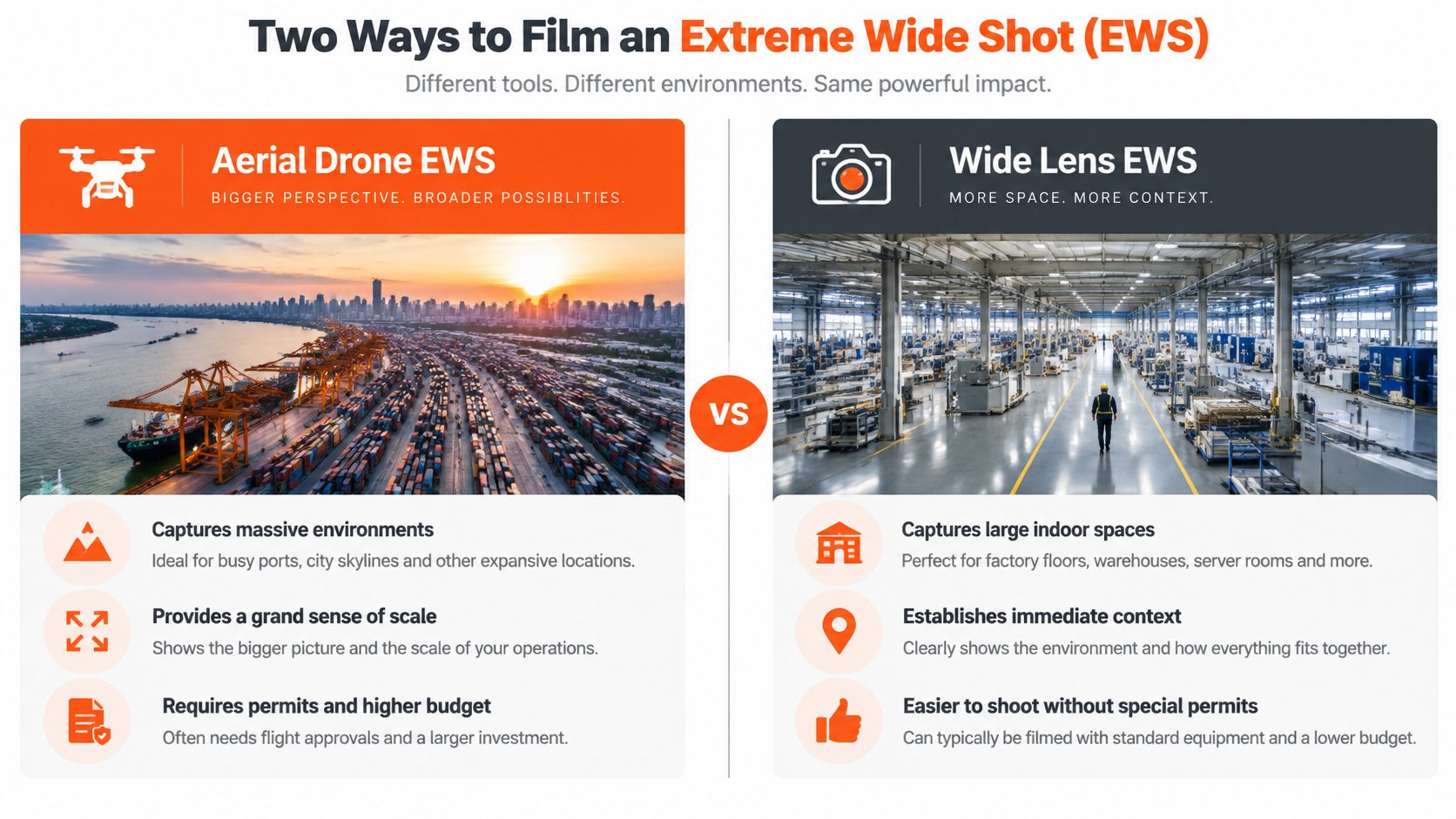
An extreme wide shot shows a large environment while the main subject looks small. It's also called an extreme long shot. A factory, port, or office campus fills the frame, rather than a speaker's face.
This shot answers a buyer's first question: Does this company understand an operation like theirs? It's useful when scale matters, but less useful when the scenery merely looks expensive.
A Logistics Software Scene
Consider a logistics software explainer that opens above a busy port. Cargo ships, cranes, roads, and warehouses appear together. The editor then cuts to a dispatcher managing deliveries inside a warehouse.
The buyer sees the operational setting before meeting the software. The aerial view has a job beyond looking lovely enough for a tourism advert.
Name the problem: Pair the image with a plain line about coordinating shipments across a busy port.
Keep the connection: Show a location that relates directly to the product's use.
Test its value: Compare the opening with a version that starts at the dispatcher's desk.
An extreme wide shot doesn't require a drone. A high, safely accessible viewpoint can establish the environment too. Wide framing and a wide-angle lens aren't the same thing, and neither automatically requires flight clearance.
2. Wide Shot (Long Shot) The Full-Body Shot With a Practical Example
A consultant walks beside a plant manager through a factory. Both people remain visible from head to toe, along with the machines they're discussing. That's a wide shot, commonly called a long shot.
Unlike the extreme wide shot, the people are easy to follow. Their surroundings still matter, but the viewer can see what they're doing.
A Workplace That Supports the Claim
For a consultancy's case study, the camera holds a wide view as the consultant stops beside a production station. The plant manager points toward a bottleneck, and the consultant examines the handoff.
That scene helps a buyer assess practical familiarity with the workplace. It doesn't prove the consultancy improved anything, but it gives the explanation a clear physical setting.

Tidy the frame: Remove stray boxes, private documents, and distracting background objects.
Preserve the action: Leave enough room for walking, pointing, or operating equipment.
Check mobile viewing: Important activity should remain understandable on a small screen.
Planning the action before filming is part of making business videos that explain rather than decorate.
The editor can then move closer for the important explanation. A wide shot establishes the task; it shouldn't force a buyer to lip-read someone standing beside a forklift.
3. Medium Shot The Waist-Up Shot With a Practical Example
During a product update, a SaaS founder stands beside a monitor and explains a new approval workflow. A medium shot frames the founder from around the waist up, keeping their face and gestures visible while leaving enough of the screen to establish the subject.
For a B2B buyer, this framing makes it easier to follow the explanation and assess how clearly the speaker presents the process. If the interface itself matters, cut to a readable screen recording. A waist-up view is no substitute for text a viewer can read.
Early films often relied on a single full-frame viewpoint. Modern shot-scale vocabulary gives filmmakers ways to shift between context, conversation, and detail.
Place the eyes high: Leave comfortable space above the head without giving the ceiling a starring role.
Allow room for gestures: Check the frame while the speaker moves their hands naturally.
Light the face evenly: A soft light beside the camera is a sensible starting point.
Medium shots suit webinars, founder updates, and expert interviews. Change the framing when the information changes, not because an imaginary timer says the shot has had its turn.
4. Medium Close-Up The Chest-Up Shot With a Practical Example
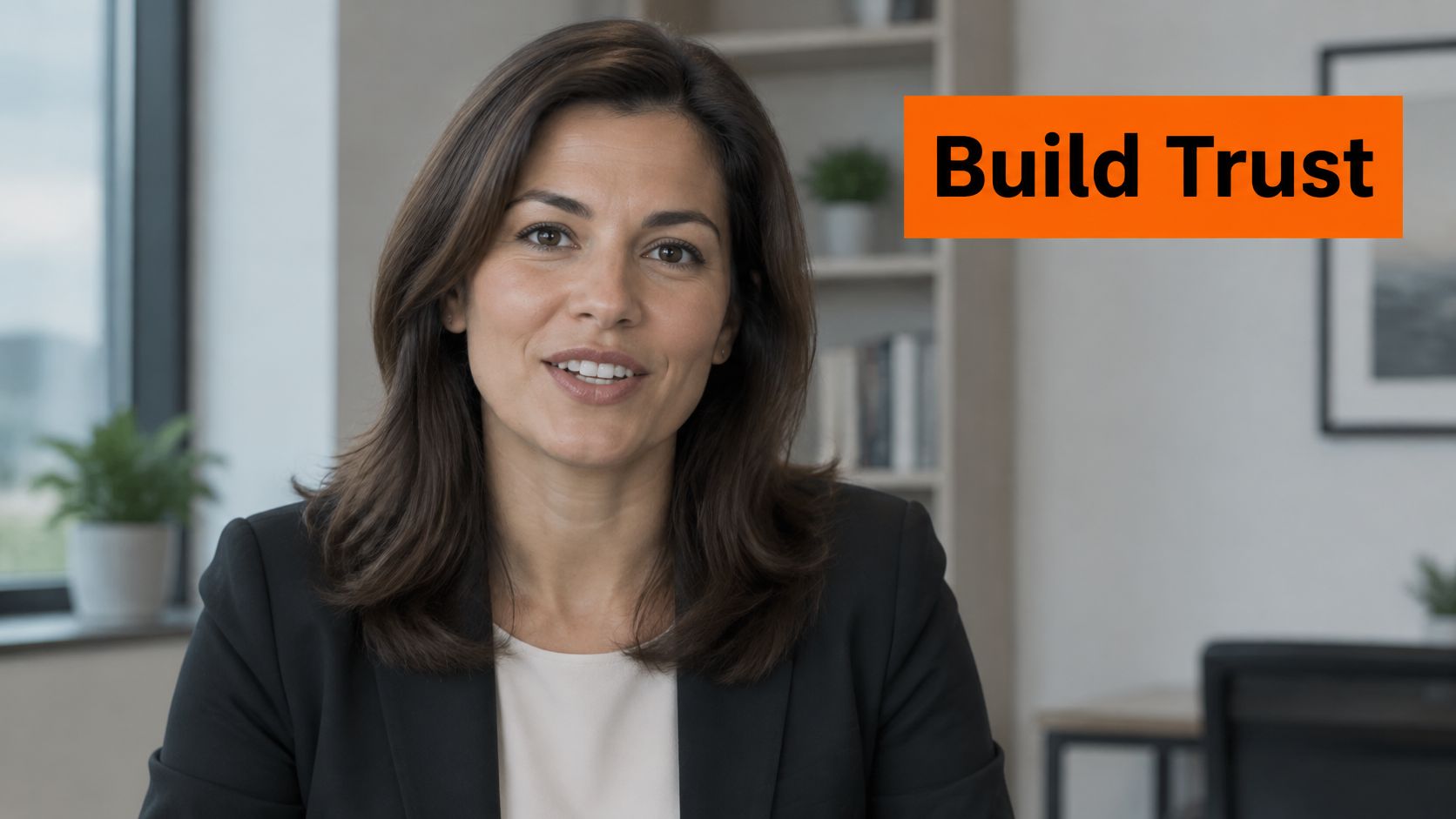
The medium close-up brings the camera's framing to the chest or shoulders and above. The face becomes more prominent, but the speaker still has some breathing room.
A cybersecurity CEO explaining a breach-response policy is a useful example. The buyer needs to follow the wording and assess the speaker's manner, not inspect the office bookshelf's leadership credentials.
Make the Important Sentence Easy to Read
During the explanation, the CEO states what the team does when a customer reports a suspected breach. A medium close-up gives facial expression and delivery more space than a waist-up frame.
It supports scrutiny, not automatic trust. Buyers still need a clear process and credible evidence. A sincere expression can't replace either.
A closer face makes the speaker easier to read. It doesn't make an unsupported claim more reliable.
The crew should position the camera far enough away to avoid an exaggerated near-camera perspective, then adjust the lens or framing. Moving a phone extremely close to someone's face usually produces more nose than reassurance.
Keep the eyes near the upper part of the frame and the background simple. For interviews, maintain the same off-camera eyeline between takes so the edit doesn't make the speaker appear to watch an invisible tennis match.
5. Close-Up The Face-Focused Shot With a Practical Example
A customer pauses while describing a difficult software migration. Their expression changes as they explain how the team finally got the system working. A close-up gives that reaction room to register.
The framing concentrates on the face, often with little surrounding context. It's useful when the buyer needs to understand how someone experienced the problem or solution.
A Customer Testimonial Scene
Consider an operations manager describing the relief of completing a messy reporting task. The editor cuts closer when the manager explains what changed for the team, then shows the relevant workflow.
The reaction adds a human dimension. The workflow supplies the practical explanation. Neither needs a staged victory dance beside a laptop.
An eye-tracking study of annotated film sequences found that shot scale affected how consistently viewers looked at the same areas. That supports deliberate framing, not a promise that close-ups will improve sales.
Choose a meaningful moment: Use the closer frame for a specific reaction or important statement.
Protect sharp focus: Keep the eyes clear, especially when the background is blurred.
Avoid emotional overreach: Let the customer describe their experience without directing a theatrical response.
Constant close-ups can remove useful context. A buyer may care about the speaker's relief while still needing to see what the product does.
6. Extreme Close-Up (ECU) The Tiny Detail Shot With a Practical Example
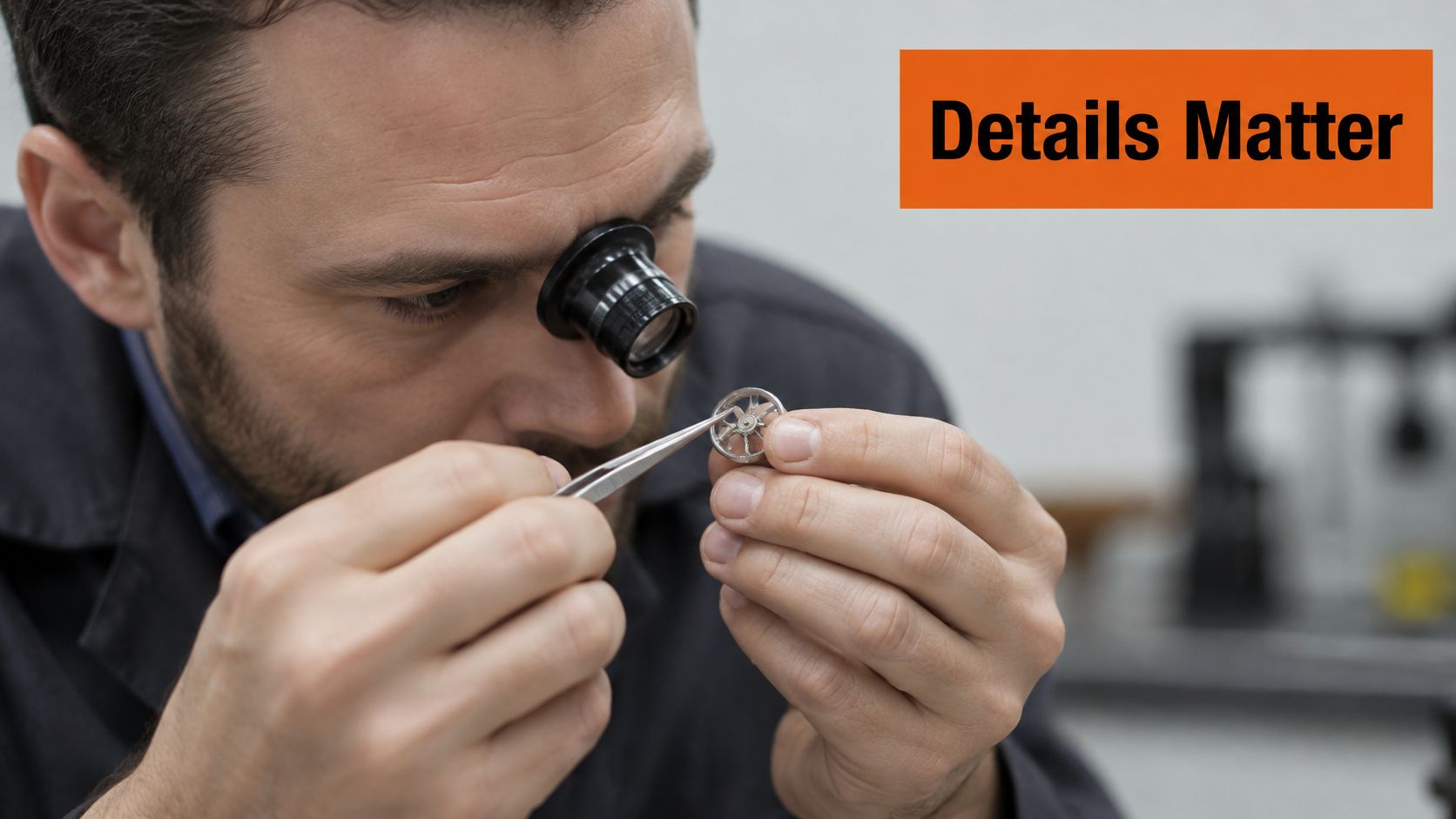
A connector clicks into a precision sensor. The frame is tight enough to show its locking tab and alignment mark. That's an extreme close-up, or ECU, with a useful job.
This camera shot makes a small feature large enough to inspect. Eyes, fingertips, switches, seals, and interface controls can all become the main subject.
Show the Detail That Answers an Objection
For an industrial hardware demo, the buyer may wonder whether installation is fiddly. Start with a wider view of the technician and sensor, then show the connector being seated and checked.
The close detail lets the buyer inspect the action. It doesn't independently prove durability, certification, or manufacturing quality.
The CineScale dataset paper treats extreme close-ups and insert shots as separate labels. That distinction is useful: ECU describes scale, while an insert identifies a detail shown within a larger sequence.
Establish location: Show where the component belongs before isolating it.
Focus carefully: Use a macro lens or a camera that can focus close enough.
Name the feature: Add a short caption such as locking connector.
For software, a clean crop of a screen recording may work better than filming the monitor. Technical buyers need a readable control, not a cinematic portrait of screen glare.
7. Over-the-Shoulder Shot (OTS) The Conversation Shot With a Practical Example
An over-the-shoulder shot looks past someone's shoulder toward another person, a workspace, or a screen. Part of the foreground person remains visible, helping viewers understand who is looking at what.
It feels like joining a meeting without needing an introduction or accidentally taking the finance director's chair.
A Guided Software Demo
A customer success manager sits beside a new user and explains a reporting dashboard. The camera looks past the manager's shoulder toward the user and laptop.
For a buyer, this scene can answer what onboarding might involve. It shows the relationship between the guide, the learner, and the task instead of presenting an interface with no human context.
Continuity check: Keep participants on consistent sides of the frame when cutting between views. Otherwise, a calm training session can look like everyone has swapped seats mid-sentence.
The foreground shoulder should frame the action without covering the screen or face. A slightly soft foreground can help, but a large dark silhouette can make the meeting resemble a witness-protection interview.
For teams planning repeatable demos and interviews, YouTube video production should include both conversation coverage and clean views of important actions.
Switch to a direct screen recording when labels or settings matter. An over-the-shoulder shot establishes the experience; it shouldn't make buyers decode tiny dashboard text.
8. Point-of-View Shot (POV) The See-What-the-User-Sees Shot With a Practical Example
A point-of-view shot presents the scene from a character's visual position. Unlike over-the-shoulder framing, it generally doesn't include that person's shoulder. The viewer sees the task from the user's side.
In B2B video, that can help a buyer understand a workflow rather than merely watch someone discuss it.
A Marketing Manager Tackles Reporting
A marketing manager opens a cluttered reporting workspace, finds the relevant campaign, and switches to a clear summary. The sequence follows what the manager sees while completing the task.
The buyer can assess whether the workflow resembles their own work and whether the proposed steps are understandable. A clean dashboard alone isn't enough; the transition needs to make sense.
The embedded video offers a visual reference for considering viewpoint.
Keep movement calm: Use stable positioning rather than exaggerated head movements.
Protect private information: Record a demo account with safe, realistic sample content.
Make actions legible: Keep the cursor visible and avoid racing through menus.
A screen recording can represent the user's view for a software walkthrough, although it isn't automatically a character-based POV shot. Context establishes whose task the viewer is following.
The aim is recognition, not motion sickness with a subscription button.
9. Low-Angle Shot The Power-Up Shot With a Practical Example
A low-angle shot places the camera below the subject and looks upward. Depending on the scene, it can suggest presence, confidence, or even intimidation.
The framing still needs another label. A low-angle medium close-up describes both viewpoint and size. B&H's camera-shot guide distinguishes these shot characteristics, which helps crews avoid vague directions.
A Founder Introduces a New Device
For a product launch, a founder stands beside an industrial monitoring device. A slightly lowered camera includes the founder, the device, and a clean section of the workplace.
The buyer sees a composed presentation of the product and its spokesperson. The angle can support confidence, but expertise must come from the explanation.
Keep the angle subtle: Lower the camera slightly rather than placing it near the floor.
Inspect the background: Ceiling fixtures and signs can become distracting shapes.
Light the face: A bright background shouldn't leave the speaker in shadow.
For video production for marketing, this framing works best as a deliberate choice rather than a default treatment for every executive.
A heavily exaggerated low angle may make a friendly software founder look like a film villain announcing a new password policy. If authority becomes intimidation, eye-level framing is the better choice.
10. High-Angle Shot The Looking-Down Shot With a Practical Example
A marketing analyst sits at a desk surrounded by open spreadsheets, notes, and a cold coffee. The camera looks down from above. The buyer can immediately inspect the workspace and the competing tasks.
That's a high-angle shot. It can suggest vulnerability or pressure, but it can also provide a clear overview. Looking down doesn't automatically make someone look helpless.
Show the Problem Without Mocking the Person
For a reporting tool explainer, the analyst compares figures across several documents. A high view shows the repeated switching and scattered information.
The useful message is the workflow is difficult, not that the employee is bad at the job. Buyers should recognize a frustrating situation rather than feel that the brand is laughing at them.
The employee isn't the punchline. The unnecessary manual work is.
After establishing the problem, the editor can switch to an eye-level explanation and a readable demonstration. There's no need to turn the solution into a superhero entrance.
Keep the task visible: Frame the documents, hands, and screen without losing the person.
Use safe support: Secure the camera on suitable equipment, never a balancing act above someone's head.
Label the pain plainly: A caption such as manual report matching is more useful than vague language about chaos.
The buyer should finish the scene understanding what needs fixing and why.
Camera shot names at a glance
Item | What It Frames | Best For | Main Drawback
Extreme Wide Shot (EWS) | A vast location with the subject appearing small | Establishing setting, scale, or reach | Facial expressions and small details are hard to see
Wide Shot (Long Shot) | The subject's full body and surrounding environment | Showing movement, body language, and teamwork | The subject can appear small, especially on mobile
Medium Shot | A person from the waist or chest up | Interviews, presenters, and conversational scenes | Can feel repetitive or visually flat
Medium Close-Up | A person from the chest or shoulders up | Testimonials and important talking-head messages | Can feel intense and limits visible gestures
Close-Up | A person's face and expression | Highlighting emotion, reactions, and key moments | Can feel uncomfortable if overused
Extreme Close-Up (ECU) | A very small detail, texture, or product feature | Showing precision, quality, or craftsmanship | Can be confusing without wider context
Over-the-Shoulder Shot (OTS) | One person from behind, focused on another person or screen | Dialogue, interviews, and product demos | Requires careful framing to keep both people clear
Point-of-View Shot (POV) | A scene from a character's perspective | Immersive product demos and customer journeys | Shaky movement can disorient viewers
Low-Angle Shot | A subject viewed from below | Conveying authority, confidence, or drama | Can look intimidating or unflattering
High-Angle Shot | A subject viewed from above | Showing problems, vulnerability, or a situation's layout | Can make the subject seem weak or overwhelmed
Pick Your Next Shot Like a Pro, Not a Panicked Intern
The strongest starting shot answers the viewer's immediate question: Where is this happening, who is speaking, or why does this matter? A factory case study may need context first. A founder answering a specific objection may work better in a medium close-up from the opening line.
Moving closer should serve a purpose. Emotion may call for a face. Product evidence may call for a detail. A physical demonstration may need enough room for hands, equipment, and the relationship between them.
Turn Camera Shot Names Into a Practical Plan
A useful shot list records the framing, action, and buyer question together. For example, a medium shot might show an engineer explaining installation, while an extreme close-up shows the connector being secured.
Add camera height, movement, eyeline, and intended output format. Those details make the plan easier to reproduce than a note that merely asks for something cinematic.
Storyboarding also helps match changes in framing to changes in the message. Techniques used to map music video beats to shots can inform pacing, although a B2B demonstration should prioritize comprehension over cutting on every beat.
Test the opener: Compare an environmental opening with a direct explanation.
Test the key line: Compare medium framing with a medium close-up.
Judge the right outcome: Review viewing behavior alongside qualified actions, not attractive footage alone.
Frequently Asked Questions About Camera Shot Names
What are the basic camera shot names?
The basic shot sizes are long shot, medium shot, and close-up. Extreme and intermediate variations give filmmakers more precise ways to describe how much of a subject appears.
Is a wide shot the same as a wide-angle lens?
No. A wide shot describes framing, while a wide-angle lens describes optics. Camera position and lens choice work together to determine the resulting image.
Which shot works best for a B2B interview?
A medium shot or medium close-up is a practical starting point. Wider coverage helps with demonstrations, while closer coverage suits important expressions and statements.
When post-production becomes the bottleneck, ContentBuck handles scripting, editing, SEO, thumbnails, and distribution, while the client shows up and approves. Most editing requests have a 24-hour turnaround, helping teams turn planned footage into finished content without another sprawling vendor handoff.
ContentBuck helps B2B teams turn expert recordings, product demos, and interviews into clear, buyer-focused videos. Visit ContentBuck to discuss a video workflow that pairs purposeful shot choices with scripting, editing, and multi-channel delivery, without making the marketing team become a film crew.
Parth Jasrapuria
Founder at ContentBuck
Building video systems for B2B businesses. Obsessed with YouTube growth, creative strategy, and organic SEO.