LinkedIn Video Ads: Formats, Specs and Benchmarks for B2B
Parth Jasrapuria
Founder
A SaaS CMO has eight minutes between a pipeline review and a board prep call. The phone comes out, LinkedIn opens, and a 20-second product dashboard plays before the next meeting starts. That pause is the whole contest for LinkedIn video ads. The clip either earns another second or it gets flicked away with the rest of the feed.
Video is not a magic lead machine. It is one stage in a portfolio of formats, and it should be judged by cost per qualified lead and assisted pipeline, not by views or a flattering completion rate. The practical question is which job the clip is doing, what the file has to be, who is large enough to reach, whether the ad still works on mute, and which numbers deserve a meeting.
Which Video Format Fits Each Job and What It Costs
That CMO did not stop because the video was cinematic. A dashboard moved, a number changed, and the feed felt like a shop window on a busy street. People are walking past. The display has about a second to make them slow down.
A sponsored video ad is a video that appears in the feed, labelled as sponsored, and shown to members who match your targeting. It is paid distribution, not an organic post hoping the algorithm is in a good mood.
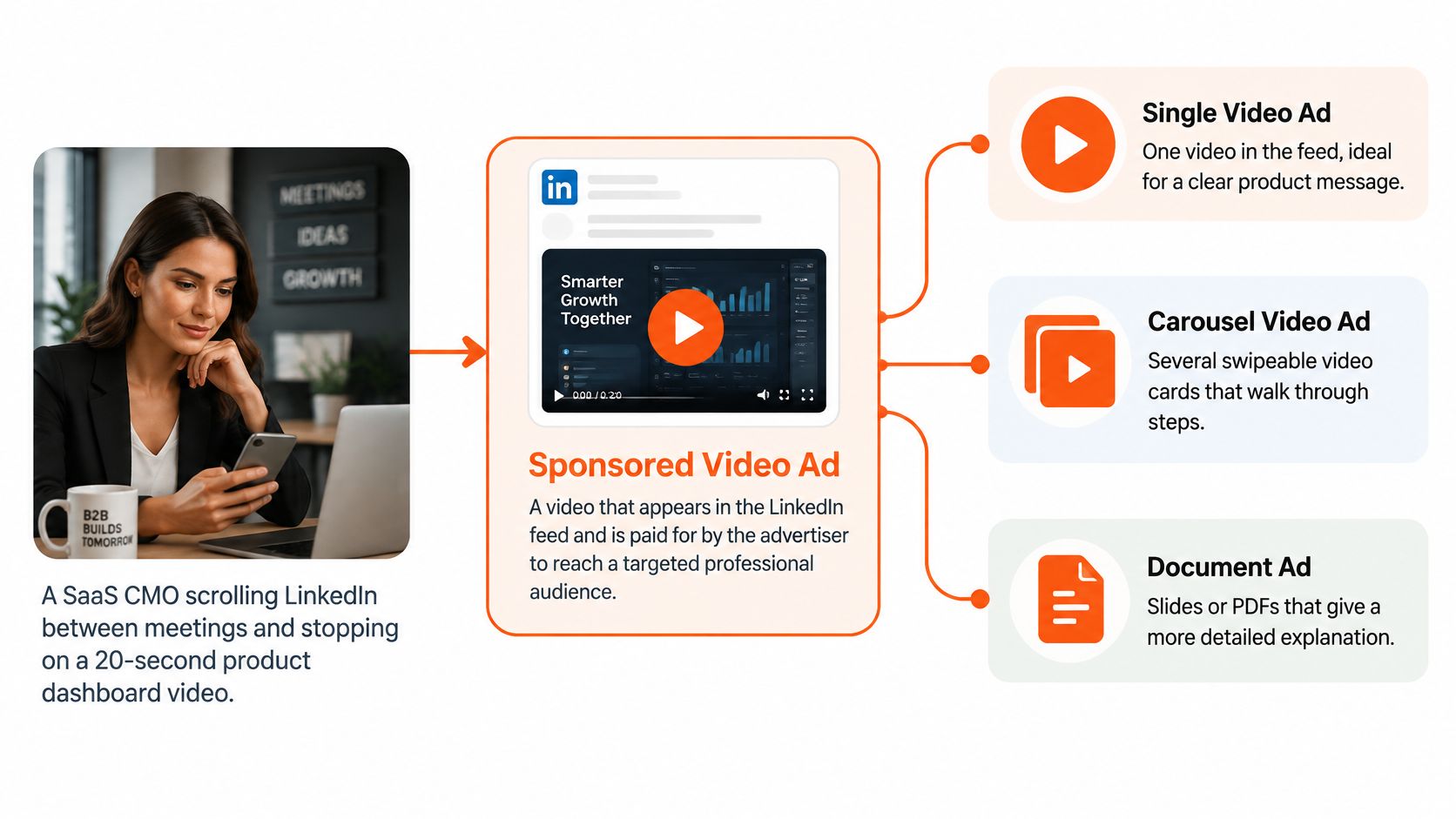
LinkedIn's 2025 advertising data reports that video ads drove 3 times higher engagement than non-video formats, and that video posts are 20 times more likely to be shared than other post types. Treat both figures as platform-reported claims, not an audited industry average. Creative, audience, bid, and placement still decide whether your account sees anything like that.
The uncomfortable cost comparison
Engagement is not a lead. A 2025 benchmark of 134 B2B advertisers put video lead-form completion at 2.26%, against 22.73% for document ads. Video cost per lead sat at $724.84, against $255.81 for documents. If the only scoreboard is “form filled today,” video looks expensive and slow.
LinkedIn also reports that advertisers pairing Video Ads with Lead Gen Forms see 1.6 times higher form-open rates than advertisers who skip that pairing. An open is not a qualified opportunity. Someone can open a form, sigh, and go back to email. Pipeline math still has to include meeting rate and cost per qualified opportunity.
A workable split for a firm with a $10,000 monthly test budget is about 60% on video for reach and retargeting, and 40% on document ads for the actual form. Video warms the account. The document, or a tight single-image ad, asks for the name and the work email. Judge the mix by assisted pipeline, not by which format “won” the click.
The feed is also getting louder. LinkedIn reported that video uploads rose 34% year over year in 2024. A pretty clip with no job is just more wallpaper. Strong B2B ad examples usually show one job per asset, not five messages fighting for the same 20 seconds.
Match the format to the job
Format | Where it shows | Best for | Length guide
Sponsored video in feed | LinkedIn feed on desktop and mobile | Reach and brand recall | 15–30 seconds for every feed and Audience Network placement
In-stream video ad | Video content in the LinkedIn feed | Longer story for an engaged viewer | Up to 90 seconds
Video with Lead Gen Forms | Feed, paired with a form | Capturing leads from warmed viewers | 15–30 seconds, with the form doing the capture
Video view campaign | Feed and video inventory | Cheap attention and retargeting pools | 15–30 seconds so the view is affordable
BrandLink video | Brand-led placement | Awareness with higher completion | Platform placement, not a DIY length setting
CTV Ads | Connected TV screens | Reaching decision makers beyond the feed | Living-room spots, separate from the feed cut
Practical rule: Pick the format by the job, not by what looks fancy in the campaign menu.
A 20-second dashboard is a reach ad. A 75-second customer story is a story for someone who already stopped. A PDF is often the better closer. Fancy is not a strategy.
Video Specs and File Rules That Prevent Upload Failures
Most failed uploads are boring. The export is the wrong codec, the frame rate is a film-school flex, or one widescreen master got cropped until the logo sat on someone's chin.
Spec | Accepted range | Recommended for B2B
Video length | 3 seconds to 30 minutes | 15–30 seconds for broad placement
In-stream length | Up to 90 seconds | Keep under 90 seconds
File size | 75 KB to 500 MB | Light export that stays well under 500 MB
File format | MP4 with H.264 or VP8 video | MP4 with H.264 video
Audio | AAC or MPEG-4 audio, below 64 kHz | AAC audio
Frame rate | Below 30 FPS | Under 30 FPS for every export
Aspect ratios | 1:1, 4:5, 9:16, 16:9 | Separate 4:5 and 9:16 renders
Maximum dimensions | 1,920 pixels | 1,920 pixels on the longest side
Subtitles | SRT file, text only | Always upload subtitles
Thumbnail | JPG or PNG, up to 2 MB | Proportions matched to the video
LinkedIn's file guidance is the safe export recipe. Use MP4 with H.264 video, AAC or MPEG-4 audio, a frame rate under 30 FPS, and audio below 64 kHz. Files can run from 75 KB to 500 MB and from 3 seconds to 30 minutes. Ratios include 1:1, 4:5, 9:16, and 16:9, with a longest side up to 1,920 pixels.
Two decisions that cause the pain
Length is the first decision. LinkedIn recommends 15–30 seconds so the ad can qualify for feed placements and the LinkedIn Audience Network. In-stream inventory can run up to 90 seconds. A 20-second product teaser can fly almost everywhere. A 75-second customer story may fit in-stream and then sit out of the other seats. It is a bit like a budget airline. Shorter and compliant gets more places to fly.
Ratio is the second decision. Do not crop one master after the edit and hope. Render a 4:5 file for the feed and a 9:16 file for mobile-first placements. Keep the hook, captions, and call to action inside a center-safe area so an automatic crop does not eat the point.
Subtitle and thumbnail rules are stricter than most editors expect. Subtitles go up as an SRT file and should contain text only. The optional thumbnail is a JPG or PNG under 2 MB, and its proportions must match the video. That image is what people see when autoplay does not run. A mismatched thumbnail is the square lid on a rectangular lunchbox.
A five-minute check
Export: MP4, H.264, AAC, under 30 FPS, audio under 64 kHz.
Cut: 15–30 seconds for broad placement, under 90 seconds if the buy is in-stream only.
Pair: matching thumbnail, text-only SRT, and separate 4:5 and 9:16 files with the hook in the center.
If any box fails, fix the file before you blame the audience.
Audience Size Rules That Keep Your Ads Running
Audience size is the first gate, and plenty of smart briefs fail it. A team targets only CMOs at 200 named SaaS companies. The ad set never leaves the driveway, or it launches and then delivers like a dripping tap.
LinkedIn requires a minimum of 300 member accounts before an ad set can run. The platform recommends at least 50,000 members so there is enough scale to learn, though the ideal size still depends on objective and format. Three hundred is the doorway. It is not a promise of meaningful delivery or a pleasant cost per result.
How to widen without going random
Seniority: Add Director and VP next to CMO, not “all employees.”
Company size: Open one band on either side of the ideal revenue or headcount.
Industry: Add one adjacent category the product already sells into.
Title: Include Head of Growth or VP Marketing when those buyers share the same problem.
The trade-off is real. A wider audience gets delivery and can water down relevance. Run two audiences with the same creative, the same bid, and the same offer. Compare cost per qualified account, not cost per click. A cheap click from the wrong seniority is just an expensive way to annoy someone.
Start with the broadest audience that still matches the buyer. Narrow after the first learning phase shows which seniority levels or industries respond. Precision that cannot spend is not precision. It is a slide.
Doorway, not a promise: 300 members lets the ad set launch. It does not promise delivery, learning, or a pipeline number you can take to finance.
Creative That Works With the Sound Off
A cybersecurity buyer scrolls through LinkedIn on a crowded train, phone muted. The opening seconds need to show why the ad matters before the next swipe. A logo animation spends that time without giving the buyer a reason to stay.
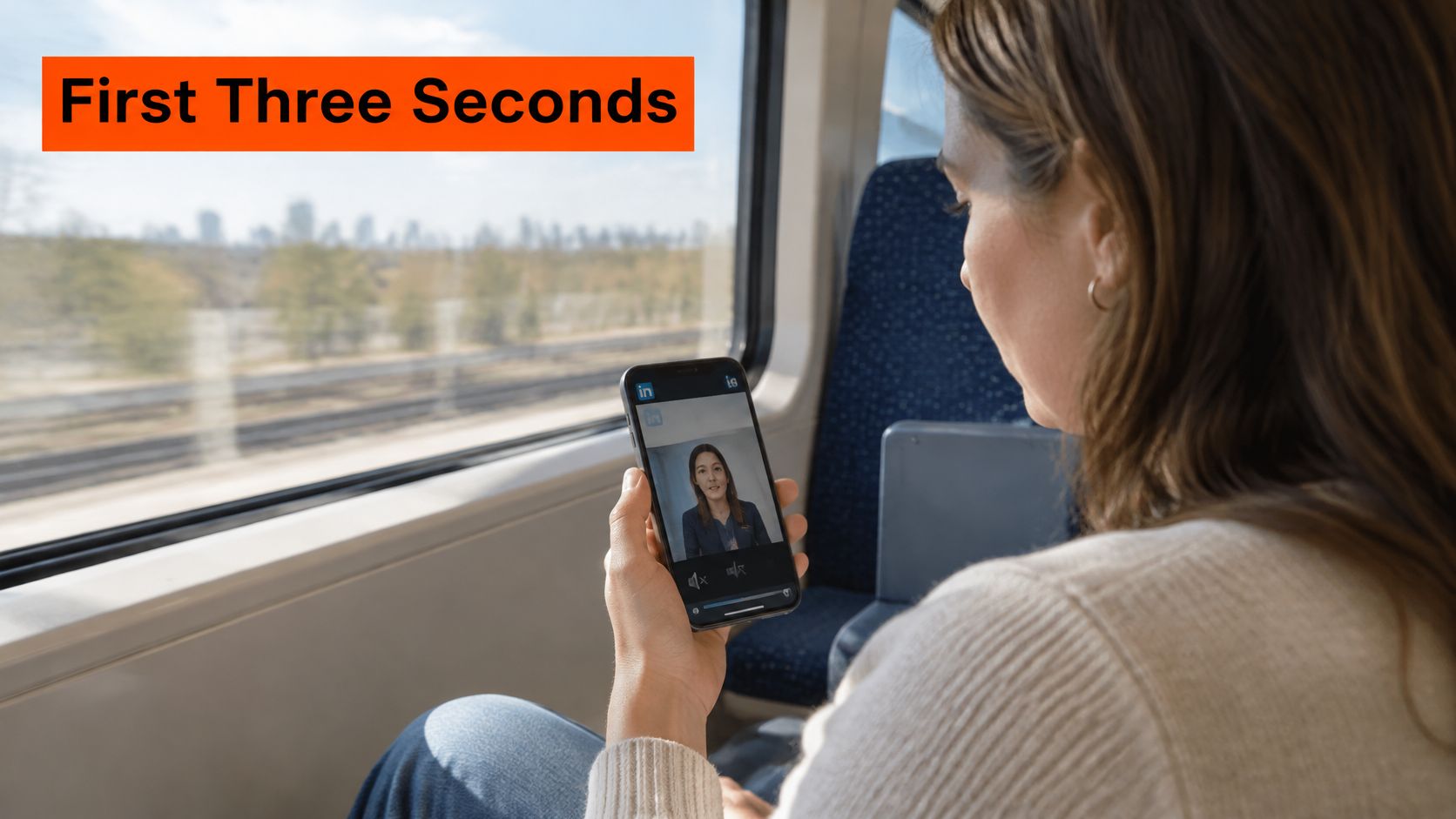
LinkedIn reports that almost 80% of users watch video ads with sound off. Treat that as platform-reported guidance, not a guarantee about every audience. Design the message to make sense without audio, and let voiceover add detail for viewers who unmute.
Weak open versus strong open
A weak open spends several seconds on a logo animation, then repeats the company name on a title card. The buyer learns little beyond your font choice.
A stronger opening shows the product outcome immediately: a dashboard alert appears beside the caption “Find exposed accounts in minutes.” Put the problem or result in the first moments, then use the logo at the end as a sign-off. That gives a scrolling buyer a reason to keep watching before brand recognition has a chance to help.
Captions should carry the proposition, proof, and call to action, not just a slogan. Deliver them through the SRT file and check that they work as standalone copy. If the spoken line explains the offer but the caption is only a fragment, muted viewers miss the point.
If the sound is off, the caption is the voiceover.
A time-sensitive offer can give viewers a concrete reason to act, but do not rely on an unverified completion-rate uplift to justify it. Use a genuine deadline, such as a webinar date or an implementation window that closes before quarter-end. “Act now” without a date is noise, not urgency. The offer should also match the campaign's job: video can introduce the problem, while another format may be better suited to capturing a qualified lead.
The embedded video is an example of a muted B2B ad. Watch it with the sound off and assess whether the visuals and on-screen text communicate the point on their own.
Mute your own ad before it spends a cent. Ask a colleague to repeat the offer without sound. If they can, the creative is clear enough to test; if not, revise the edit before increasing spend. Judge the video as one format in the campaign portfolio, by whether it helps generate qualified leads and pipeline, not by views alone.
Video KPIs and Benchmarks Worth Tracking
A 2026 benchmark set, excluding the LinkedIn Audience Network, shows why the objective in Campaign Manager changes the numbers you should expect. These are medians from 216 video-view accounts and 189 website-visit accounts. They are not guarantees, and they are not a reason to panic on day three.
Metric | Video-view campaigns (median) | Website-visit campaigns (median) | What it tells you
View rate | 36.1% | 39.8% | Whether the first moments stopped the scroll
75% view rate | 4.5% | 5.6% | Whether the middle of the ad held attention
Completion rate | 3.7% | 3.9% | Whether viewers reached the end and the call to action
Cost per view | $0.11 | Not reported as the comparable median | The price of attention, not intent
Cost per landing-page click | Not the scoreboard for this objective | $11.66 | The price of traffic for site-visit campaigns
View rate asks whether the opening stopped the scroll. 75% view rate asks whether the middle held. Completion rate asks whether people reached the end. Cost per view is the price of attention. Cost per landing-page click is the price of traffic when the campaign is built for site visits.
A movie trailer's view count does not tell you ticket sales. A video-views campaign should not be fired because it produced few landing-page clicks. A website-visit campaign should not be celebrated because people watched it and never arrived.
A different completion story
LinkedIn reports that BrandLink ads generated an average 130% higher video completion rate than standard video ads, based on platform data from July 2024 through January 2025. That is a placement claim, not proof that every brand video will double its finish rate if you rename the campaign. Use it when awareness is the job and you can buy that inventory. Do not use it to excuse a feed ad that nobody finishes.
How to read your own numbers
Compare each campaign only with the median for the same objective. A 36% view rate on a video-views buy is ordinary, not a failure. A view rate sitting far below 36% is a hook problem. Fix the first three seconds before you touch the audience, the bid, or the landing page. Completion near 3.7% to 3.9% is the middle of this dataset, so a slightly lower finish rate is not, by itself, a reason to kill a pipeline test.
If you need a shared language for what the asset is supposed to do, start with what ad creative actually has to accomplish before you argue about a tenth of a point in completion.
A trailer is not the ticket stub. Views tell you the ad was seen. Qualified pipeline tells you the ad was worth buying.
Your Next Step Is a Measured Test, Not a Bigger Budget
Your video is earning views, but qualified opportunities have not moved. Before raising spend, check whether the campaign is reaching the right accounts and creating pipeline that would not have happened otherwise. Give the test a full buying cycle, then judge it on cost per qualified opportunity and assisted pipeline. Views and completion help diagnose attention; they are not the commercial result.
LinkedIn's measurement guidance separates attention metrics from revenue signals. Views and completion indicate whether people watched. Website activity, view-through signals, and CRM data help connect exposure with later actions, including offline conversions. If video runs alongside other formats, compare account-level exposure where possible. Otherwise, the same buying group may be counted across campaigns, making incremental impact look larger than it is.
Set the pipes before you scale
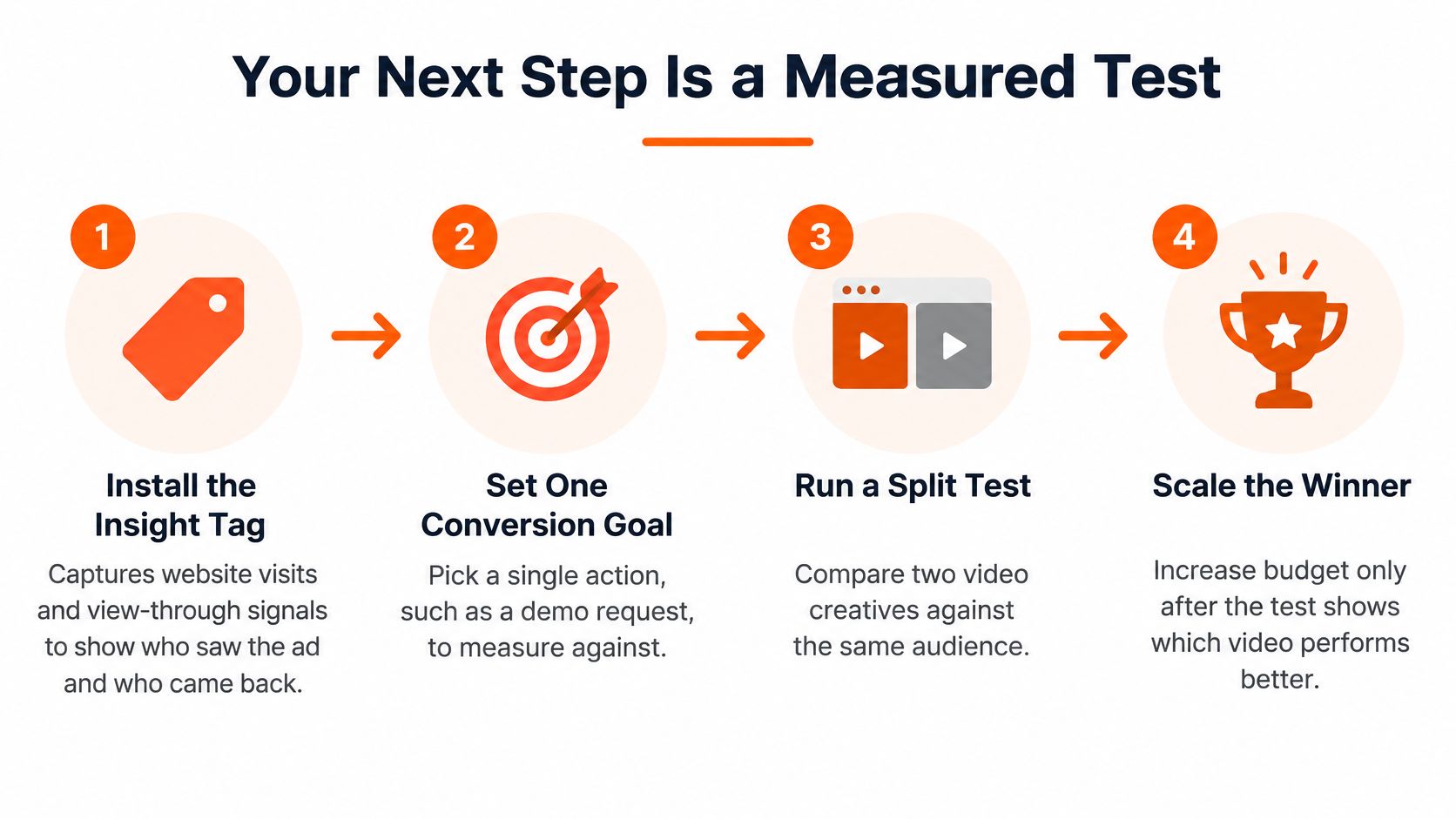
Install the Insight Tag. Use it to capture website visits and view-through signals, so you can assess whether people return after seeing a video, not just whether they click.
Add the Conversions API. Server-side events can help capture conversions that browser limits may miss.
Connect CRM Sync. Feed offline meetings, pipeline stages, and closed revenue back into campaign measurement, where available.
Build a holdout. Compare accounts exposed to the video with similar accounts that were not. This gives you a way to assess incremental pipeline rather than crediting video for demand that may have come from search, events, or sales outreach.
Run one offer test
Keep the audience, bid strategy, landing page, and spend constant. Test one creative variable, such as the opening hook or offer, so the result has a clear interpretation. A useful ad creative testing plan helps keep each iteration focused instead of changing the whole media plan at once.
Hold the setup steady. Use the same audience and campaign settings for both versions. Change one element, then give each version enough delivery to evaluate.
Compare a neutral promise with a genuine deadline. An event date or implementation window can create a real reason to act. Avoid fake scarcity. Choose the winner by qualified opportunities and cost per qualified opportunity. Completion is an attention diagnostic, not the trophy.
If you need to compare audiences, run that as a separate test: hold the creative and offer constant, then change only the audience. Do not combine an audience change with a creative change and assume you know which one drove the result.
Set up the measured test before the next budget increase. If assisted pipeline does not improve after a full buying cycle, consider moving spend to a document or single-image ad that captures the lead directly. Video is one part of the format mix, and it should earn its place through qualified leads and pipeline, not views alone.
Questions that come up before the test
Are LinkedIn video ads the best way to fill a form? Usually not when form completions are the only goal. Earlier benchmarks in this article showed document ads completing forms more often and at a lower cost per lead. Use video to build demand and warm accounts, then let a document or single image make the direct ask.
How long should the file be? Aim for 15–30 seconds when you want every feed placement. Save a longer customer story for in-stream, and keep that cut under 90 seconds.
What if the view rate looks fine and pipeline does not move? The ad earned attention but missed its commercial job. Check the offer, audience match, and holdout before buying more views.
ContentBuck plans, scripts, captions, and edits B2B video ads into feed-ready cuts, including separate aspect ratios and modular hooks for LinkedIn testing. If you are preparing a controlled creative test rather than another unmanaged export, visit ContentBuck to plan the next measured cycle.
Parth Jasrapuria
Founder at ContentBuck
Building video systems for B2B businesses. Obsessed with YouTube growth, creative strategy, and organic SEO.